724-746-5500 | blackbox.com
724-746-5500 | blackbox.com
Page 33
LES301A user manual
Chapter 4: Software Setup
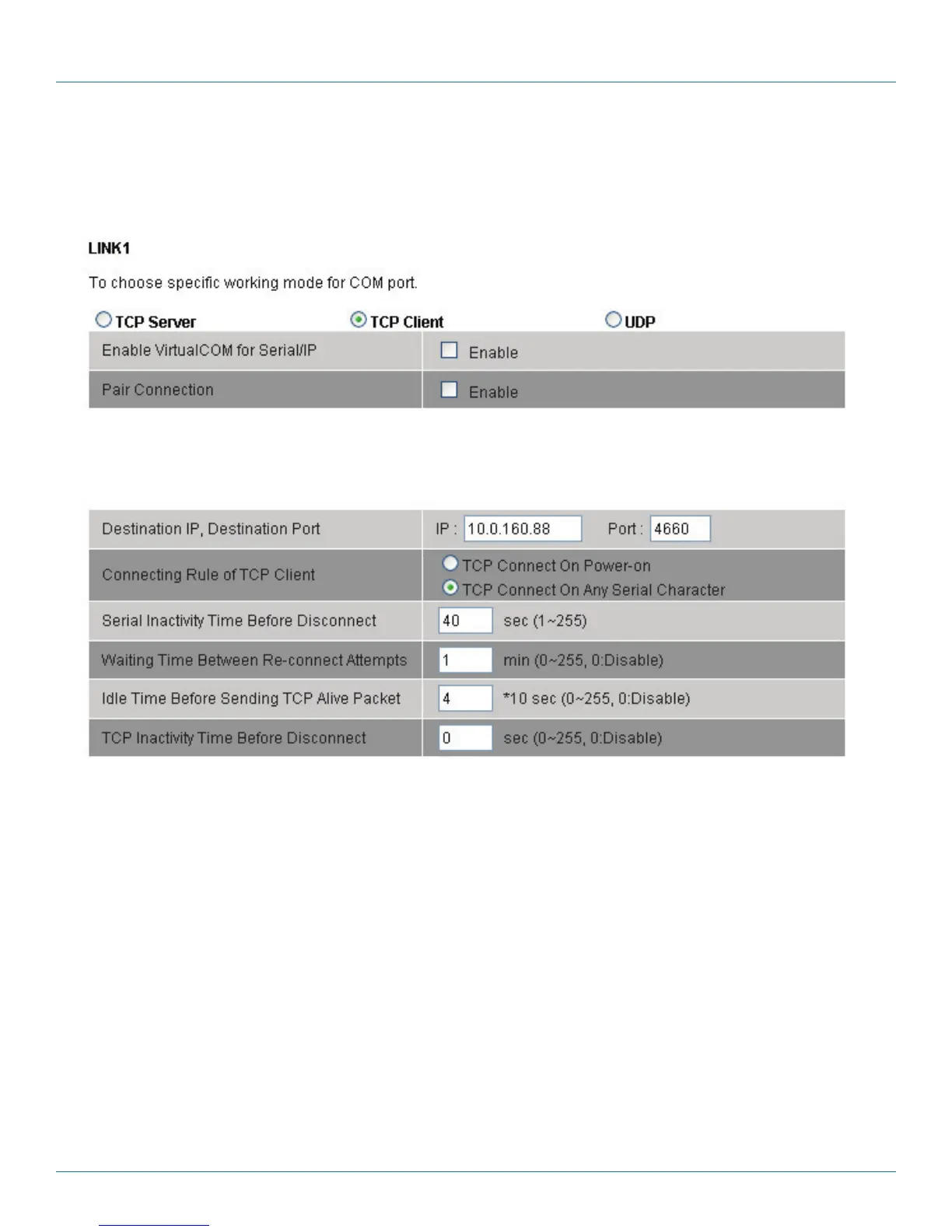
7. Input the error retrying time at the “Waiting Time Between Re-connect Attempts (0 minute, 1–255):” prompt. Input “0” to
disable the function; input “2” and the serial Inactivity beyond 2 sec will cause a disconnect.
8. Click on the “Save Configuration” button to save the changes.
Figure 4-25. COM1 setup—TCP client
4.3.6 Pair Connection
If the serial connection is established with two or more LES301A units to send data over Ethernet network, that is, pair
connection mode, you can choose “pair connection,” which is indicated in the following figure for any type of serial device.











 To Next Page