724-746-5500 | blackbox.com
Page 42
LES301A user manual
724-746-5500 | blackbox.com
Chapter 6: SNMP Setup
6. SNMP Setup
6.1 SNMP Network Management Platform
LES301A is an SNMP device that allows many popular SNMP network management platforms such as HP
®
OpenView
®
and
SunNet Manager to conduct SerialManager.
Depending on the network management tools you are using, you can collect device LES301A information from running the
management tools including IP address, DNS name, system descriptions, and NIC information, etc.
6.2 Using NetworkView as an Example
NetworkView is a compact network management tool from NetworkView Software, Inc. (www.networkview.com). It discovers all
TCP/IP nodes in a network using DNS, SNMP, and ports information and documents with their printed maps and reports for
future use.
First, download and install the tool on your PC (Windows 2000 and Windows XP), then start NetworkView.
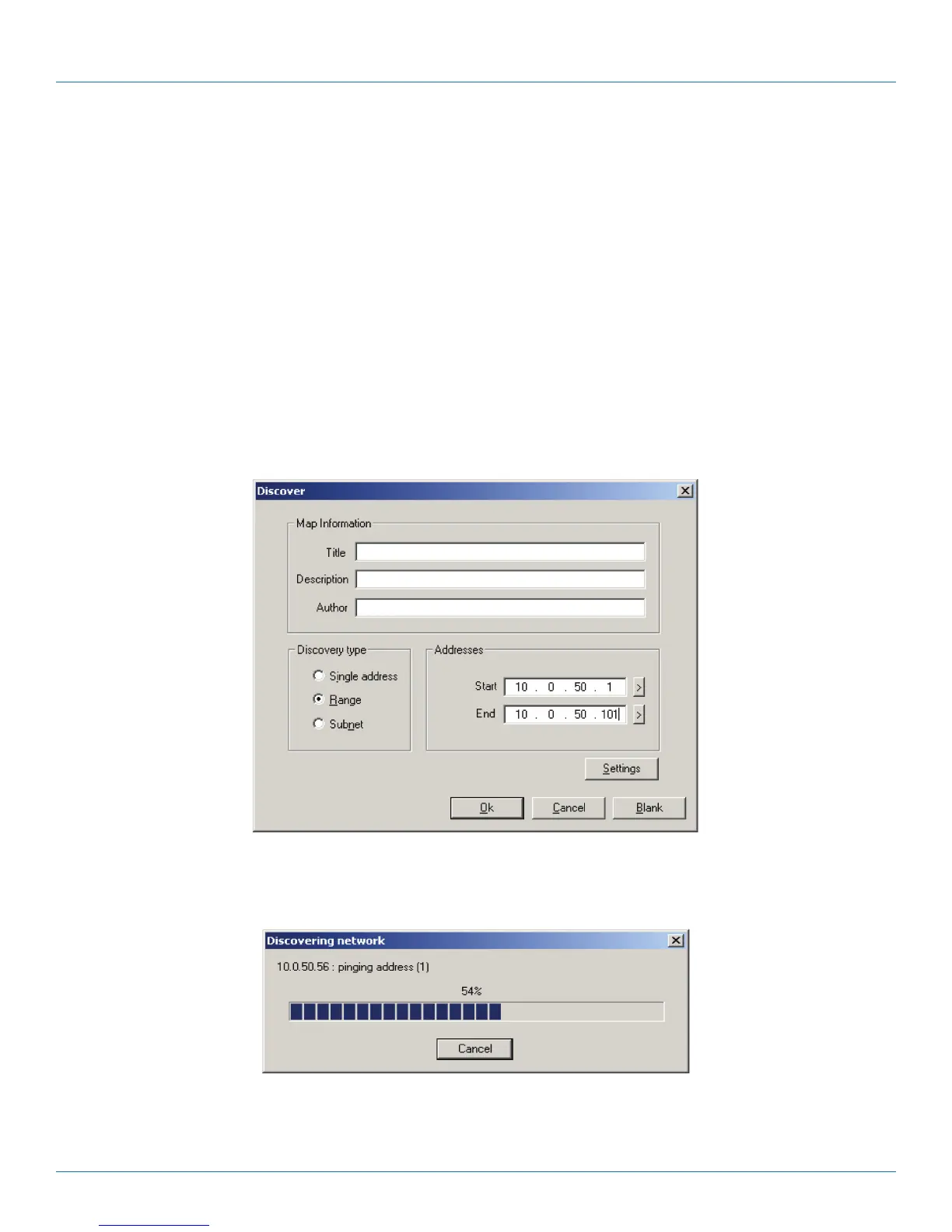
1. Click on the button to open a new file. The following screen will appear. In the Addresses field, enter the IP address range to
search.
Figure 6-1. IP address searching.
2. Click on “OK” and the following dialog box will display the searching progress.
Figure 6-2. Searching progress.
3. After the search is completed, NetworkView will display the devices found in the main window.











 To Next Page