724-746-5500 | blackbox.com
724-746-5500 | blackbox.com
Page 9
LES301A user manual
Chapter 1: Specifications
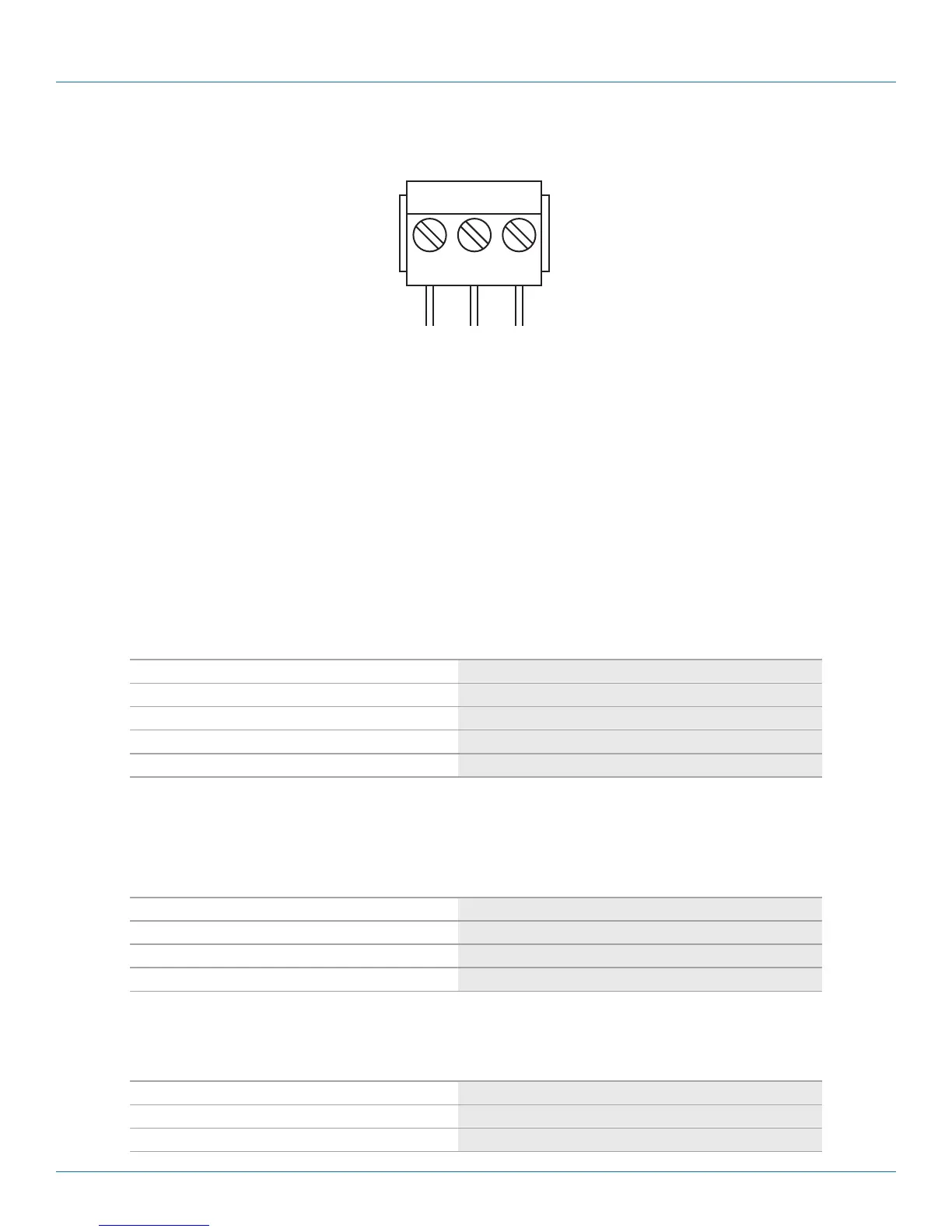
1.5 Power Terminal Block Connector
F.G. VIN- VIN+
Figure 1-2. Terminal block signals.
NOTE: VIN- and VIN+ can be reversed.
1.6 Buzzer/LED Message
1.6.1 Buzzer
“^”: Beep twice
“=”: Beep off
Table 1-3. Buzzer message.
Message Description
^===^===^===^===^===^===^…(1sec) Watchdog problem, contact Black Box Technical Support*
^^^^^^^^^^^^^^^^^^^^^^^^… Memory problem, contact Black Box Technical Support*
^==^========^^ (5sec) Startup OK but AP firmware is disabled
^==^========^^^ (5sec) Startup OK and AP firmware is enabled
*Contact Black Box Technical Support at 724-746-5500 or info@blackbox.com.
1.6.2 LAN LED
Table 1-4. LAN LED.
Message Description
LED off Ethernet is disconnected
LED is blinking green Data is transmitted at 100 Mbps on Ethernet
LED is blinking orange Data is transmitted at 10 Mbps on Ethernet
1.6.3 COM Port LED
Table 1-5. COM port LED message.
Message Description
LED off No data is being transmitted on COM port
LED is blinking Data is being transmitted on COM port











 To Next Page