724-746-5500 | blackbox.com
724-746-5500 | blackbox.com
Page 21
LES301A user manual
Chapter 4: Software Setup
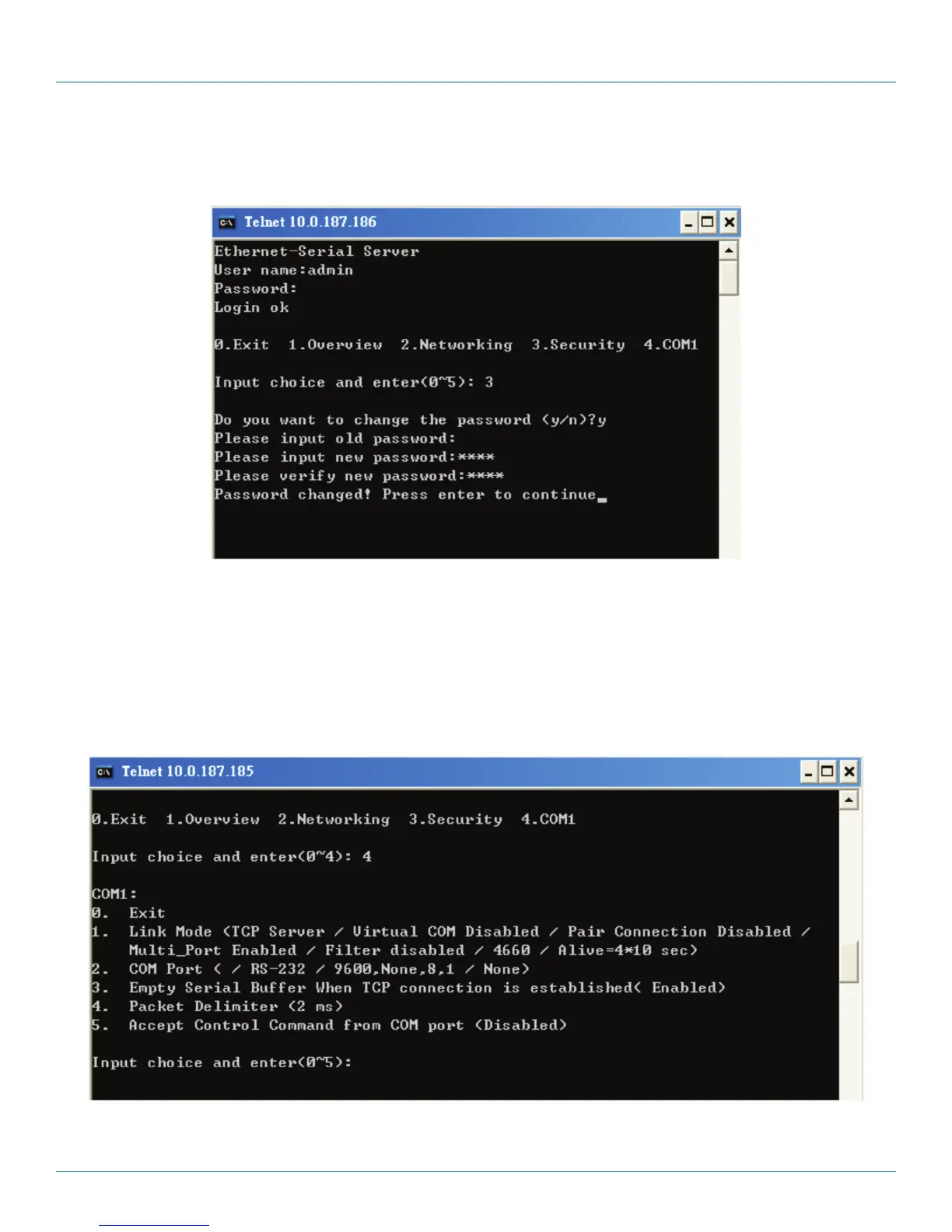
4.2.3 Change the Password
1. Select “3” from “Input choice and enter (0–4):” and the following screen appears (see Figure 4-8).
Figure 4-8. Change the password.
2. To change the password, type the old password in the “Please input old password” field, then type the new password in the
“Please input new password” and the “Please verify new password” fields.
NOTE: Press the product’s default key to reset the password to the default value.
4.2.4 COM1 Setup
Select “4” from “Input choice and enter (0–4):” The following screen appears (see Figure 4-9).
Figure 4-9. COM1 setup.











 To Next Page