724-746-5500 | blackbox.com
Page 26
LES301A user manual
724-746-5500 | blackbox.com
Chapter 4: Software Setup
4.2.9 Setting Packet Delimiter
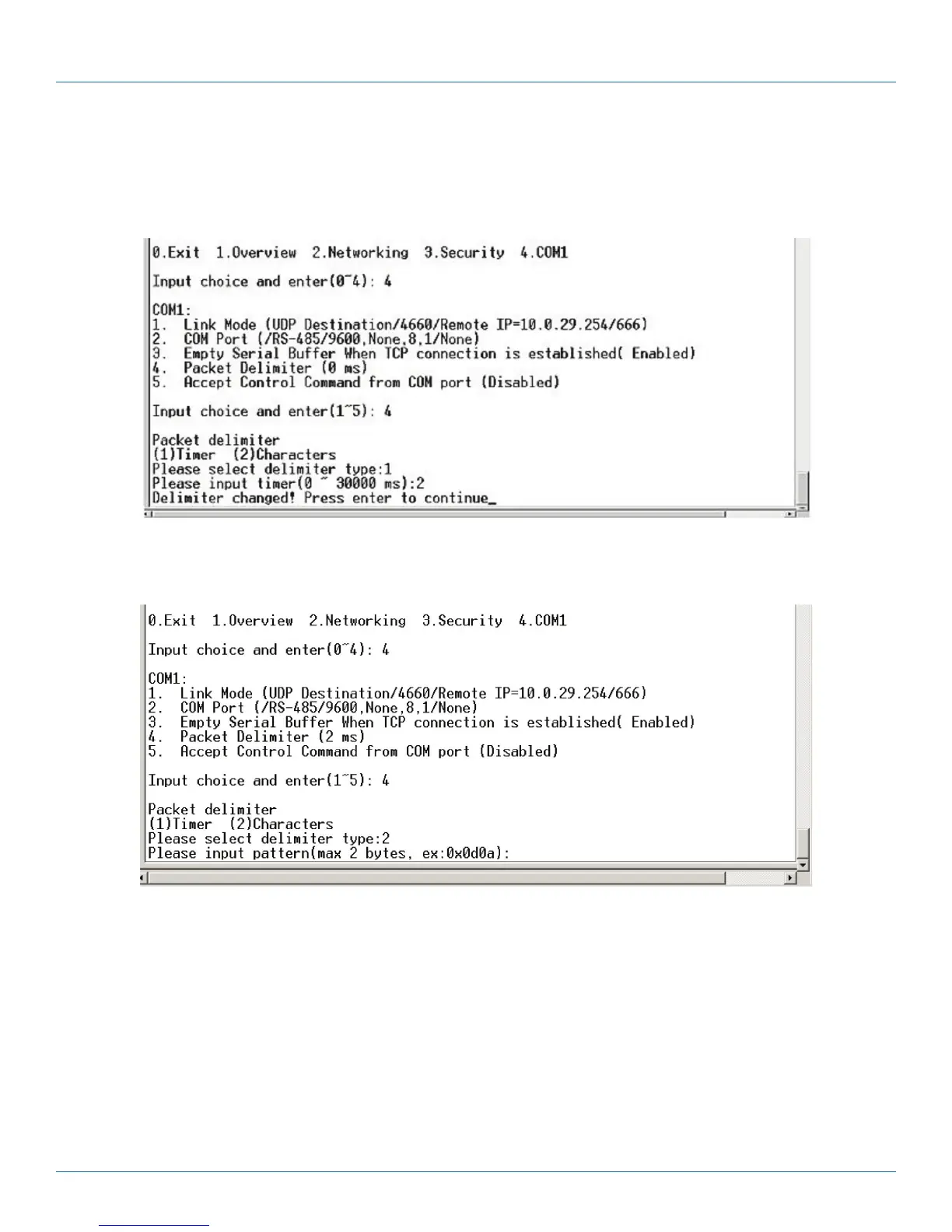
Packet delimiter is a way of controlling packets within serial communication. It can prevent packets from being cut, thus keeping
the packets complete. The LES301A provides two ways to set the parameters: inter-character timer and terminator. By default, the
packet delimiter timer is 1 ms. You can change the timer shown in Figure 4-16.
Figure 4-16. Setting packet delimiter timer.
You can also choose the character pattern as the packet delimiter as shown in Figure 4-17.
Figure 4-17. Setting the packet delimiter-character pattern.
4.2.10 Accept Control Command from COM Port
The LES301A can also accept serial control commands directly over the network following RFC2217 format. For more details
about this function, contact Black Box Tech Support at 724-746-5500 or info@blackbox.com.
4.3 Configuration Using Web Browser
1. Make sure your PC is located on the same network subnet as the LES301A.
2. Open a Web browser, then type in the LES301A IP address to configure. The default user name is “admin” and the default
password is null (leave it blank).
3. The LES301A’s network, link mode, and COM ports settings can be configured in different Web pages.
4. Click “Save Configuration” to save the settings.











 To Next Page