724-746-5500 | blackbox.com
Page 14
LES301A user manual
724-746-5500 | blackbox.com
Chapter 3: Hardware Setup
3. Hardware Setup
NOTE: Figures 2-1 through 2-3 in Chapter 2 show the LES301A unit’s back, top, and front views.
NOTE: To reset the settings to the default value, press the LES301A‘s reset button.
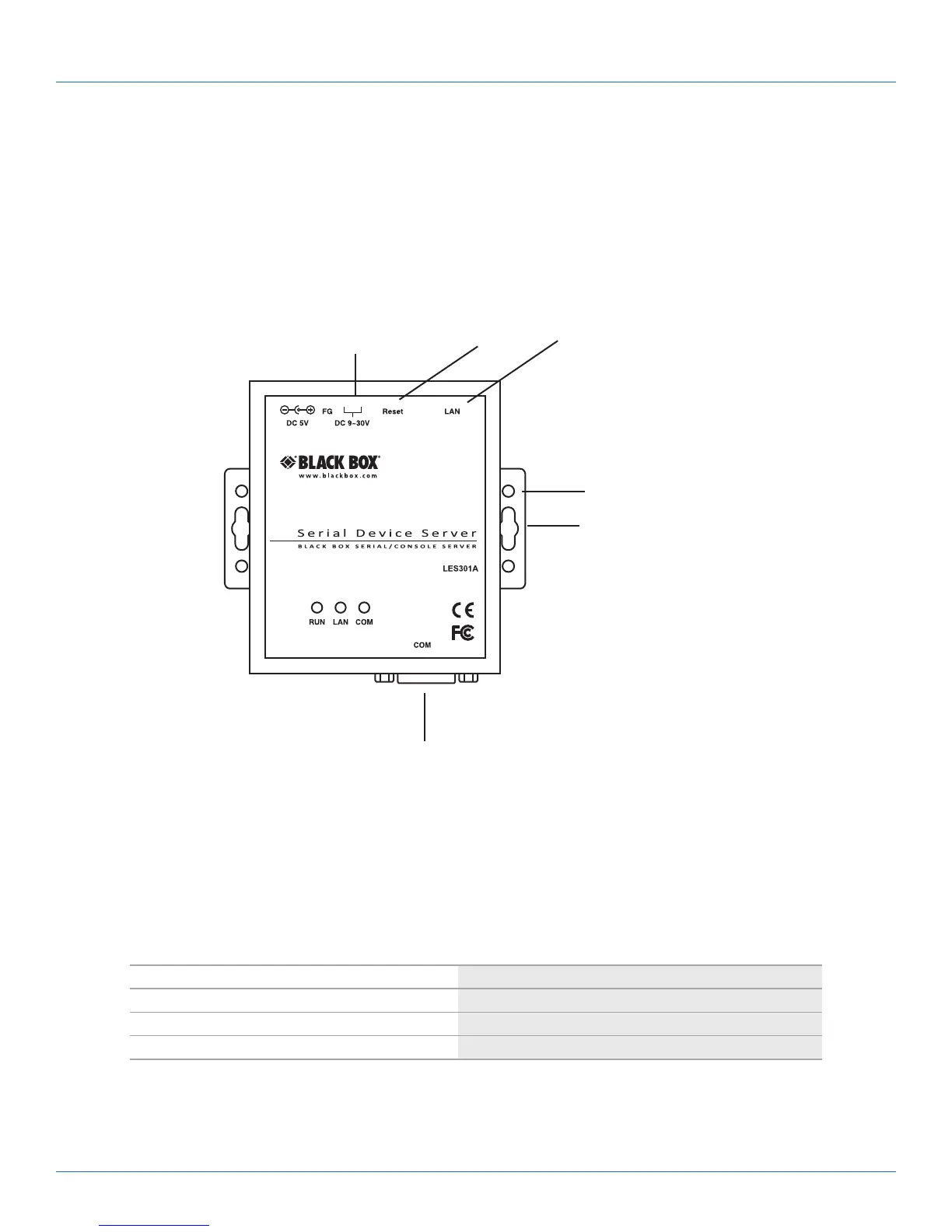
Figure 3-1 shows the interfaces.
DB9 male serial port
DC 9–30 V
Reset
button
RJ-45
10/100 Mbps
port
DIN rail screw hole
Wallmount screw hole
Figure 3-1. LES301A interfaces.
3.1 LED Indicators
3.1.1 LAN LED
Table 3-1. LAN LED message.
Message Description
LED off Ethernet is disconnected
LED is blinking green Data is transmitted at 100 Mbps on Ethernet
LED is blinking orange Data is transmitted at 10 Mbps on Ethernet











 To Next Page