724-746-5500 | blackbox.com
Page 16
LES301A user manual
724-746-5500 | blackbox.com
Chapter 4: Software Setup
4. Software Setup
The LES301A Ethernet Serial Server is shipped with default settings shown in Table 4-1.
Table 4-1. Default software settings.
Property Default value
IP address 10.0.50.100
Gateway 10.0.0.254
Subnet mask 255.255.0.0
User name admin
Password Null (leave it blank)
COM 1 9600, None, 8, 1, No flow control, buffer disabled, packet delimiter timer 2 ms
Link 1 Type: TCP server, listen port 4660, filter= 0.0.0.0, virtual COM disabled
SysName of SNMP name
SysLocation of SNMP location
SysContact of SNMP contact
4.1 Configuration by SerialManager
4.1.1 Static IP
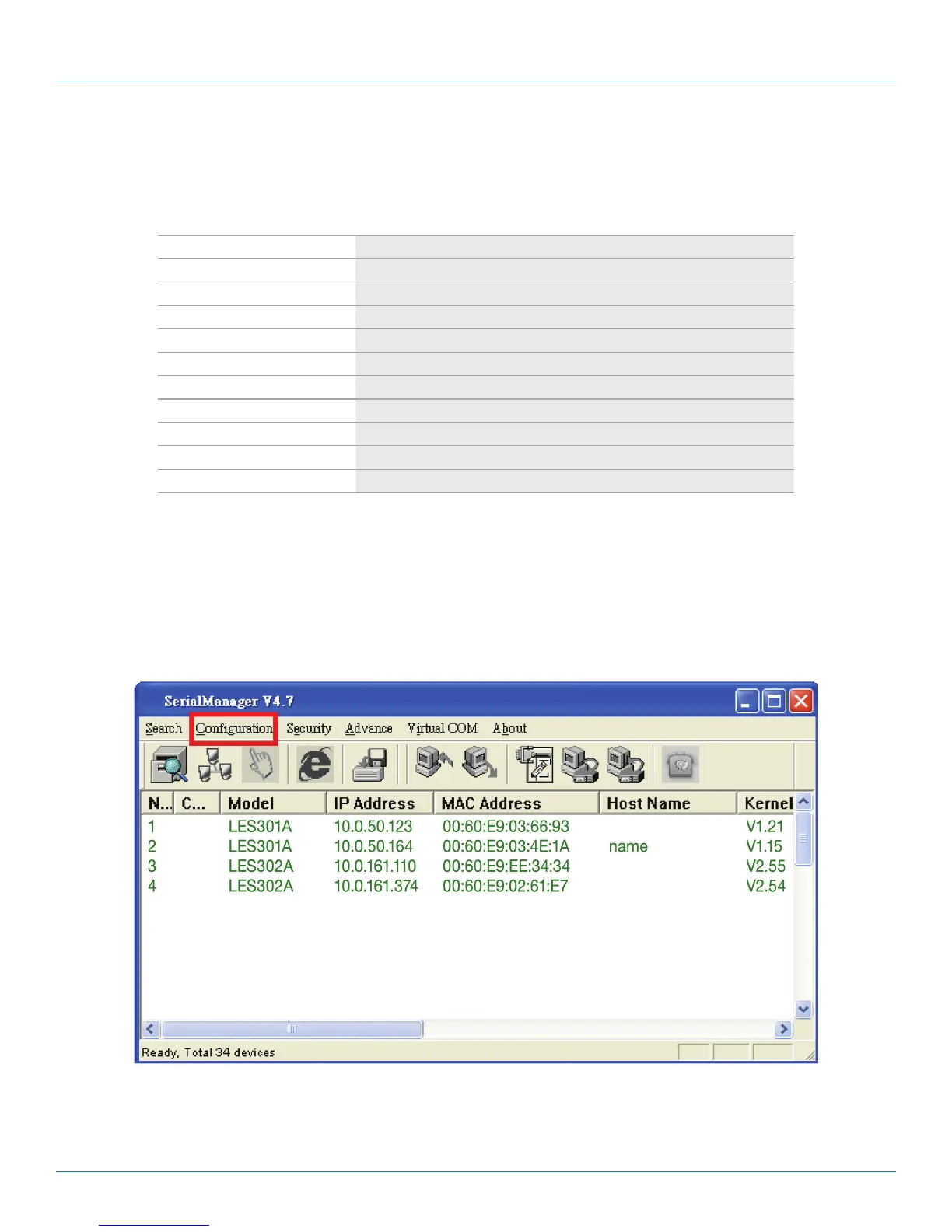
Use SerialManager that’s included on the product CD to configure the LES301A’s network parameters. Click on the
“Configuration” button (see Figure 4-1) then give it static IP information (see Figure 4-2.)
Figure 4-1. Configure using SerialManager.











 To Next Page