724-746-5500 | blackbox.com
724-746-5500 | blackbox.com
Page 17
LES301A user manual
Chapter 4: Software Setup
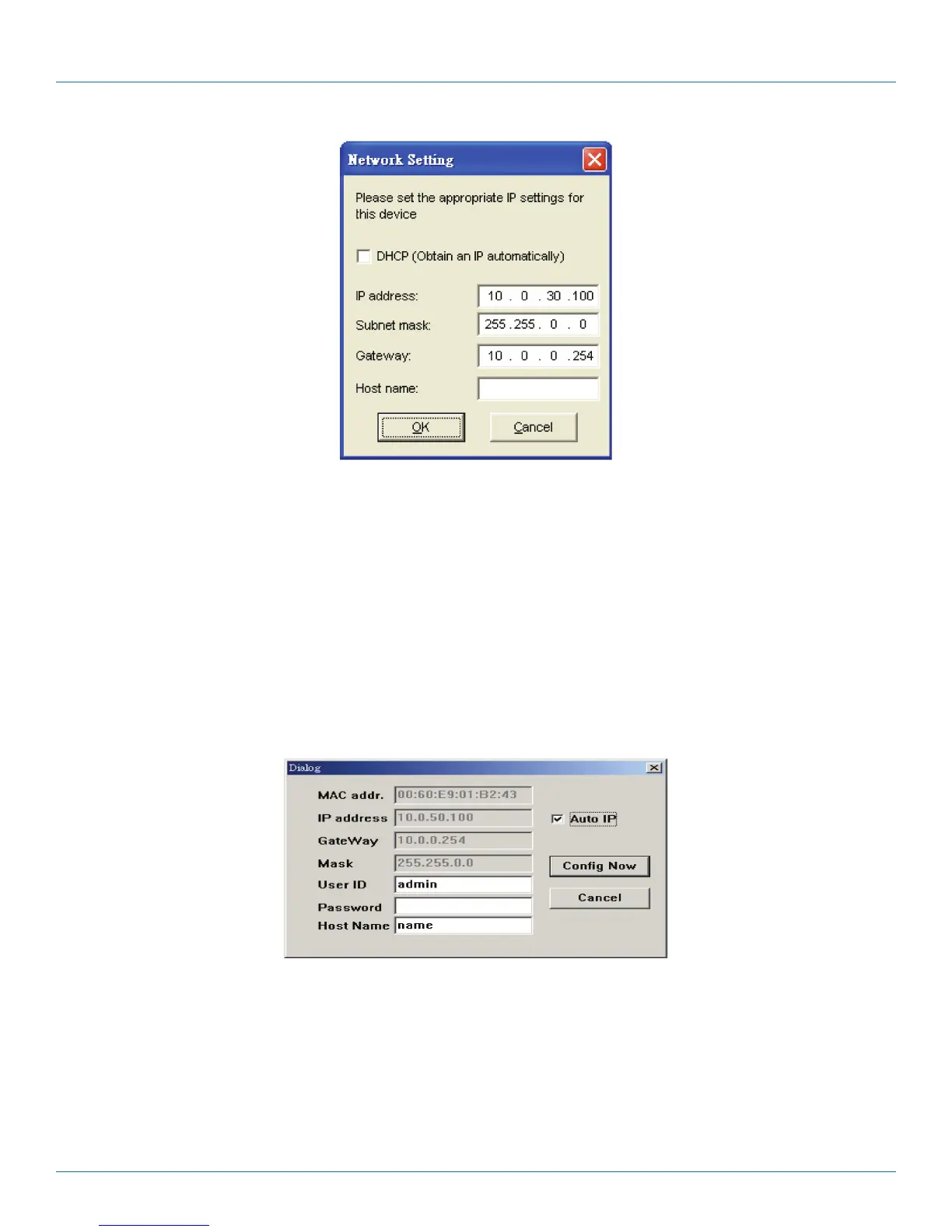
Figure 4-2. Static IP setup dialog window.
4.1.2 Auto IP (Dynamic IP)
A DHCP server can automatically assign the IP address and network settings. The LES301A supports the DHCP function. By
default, the DHCP function on the LES301A is disabled; you can use SerialManager software to search network information auto-
matically by following these steps:
1. Execute SerialManager (Figure 4-1).
2. Click on the IP address of the LES301A in SerialManager.
3. Click on the “Config” button, and the dialog window will pop up (Figure 4-2).
4. Check ”DHCP (Obtain an IP automatically)” (Figure 4-3).
5. Click on the “Config Now” button (The LES301A will restart and get its IP from the DHCP server automatically.)
Figure 4-3. SerialManager auto IP dialog window.











 To Next Page