724-746-5500 | blackbox.com
724-746-5500 | blackbox.com
Page 23
LES301A user manual
Chapter 4: Software Setup
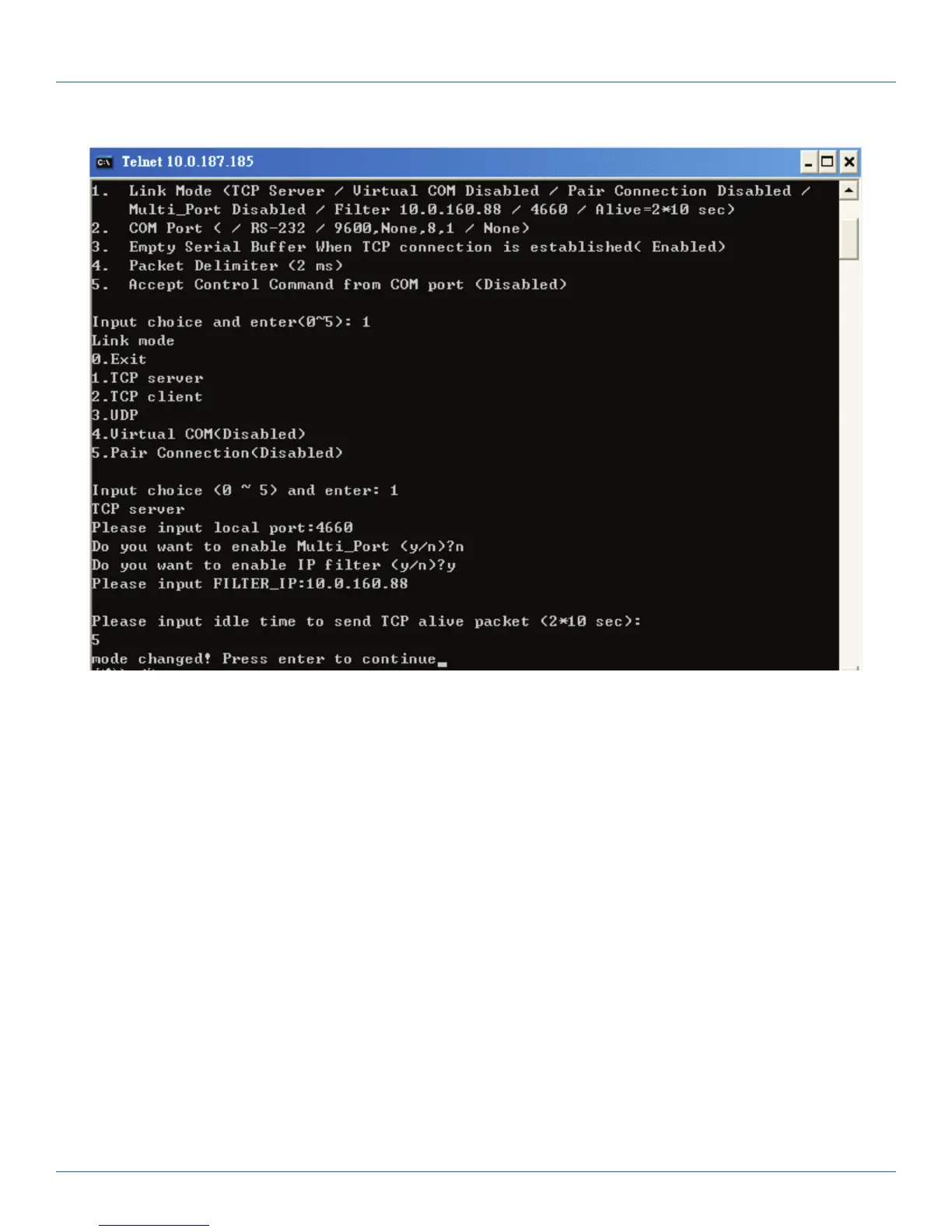
Figure 4-11. Link Mode—TCP server setup.
4.2.5 Configure the LES301A as a TCP Client
1. Type “2” at the “Input choice (1–5) and enter:“ prompt (see Figure 4-11)
2. Input the destination IP in the “Please input Destination IP:” prompt.
3. Input the destination port in the “Please input Destination port:” prompt.
Type “1” for Connected always:
1. Double-click the “Enter” key.
2. Input idle time at the “Please input idle time to send TCP alive packet(4*10sec):” prompt. (If you input “2”, the sending TCP
keep alive packet period will change to 2*10 sec)
Type “2” for Trigger by receiving COM port data:
1. Input the idle time to disconnect at the “Please input idle time to disconnect (0 sec , 1–255):” prompt. (If you input “0” disable
the function; if you input “2”, the serial Inactivity beyond 2 sec will cause the unit to disconnect.)
2. Input the error retrying time in the “Please input waiting time for error retrying (0 minute, 1–255):” prompt. (If you input “0”,
the function is disabled; if you input “2”, the serial Inactivity beyond 2 sec will cause the unit to disconnect.)
3. Double-click the “Enter” key.
4. Input the idle time at the “Please input idle time to send TCP alive packet(4*10sec)” prompt. (If you input “2,” the sending TCP
keep alive packet period will change to 2*10 sec.)











 To Next Page