724-746-5500 | blackbox.com
724-746-5500 | blackbox.com
Page 35
LES301A user manual
Chapter 4: Software Setup
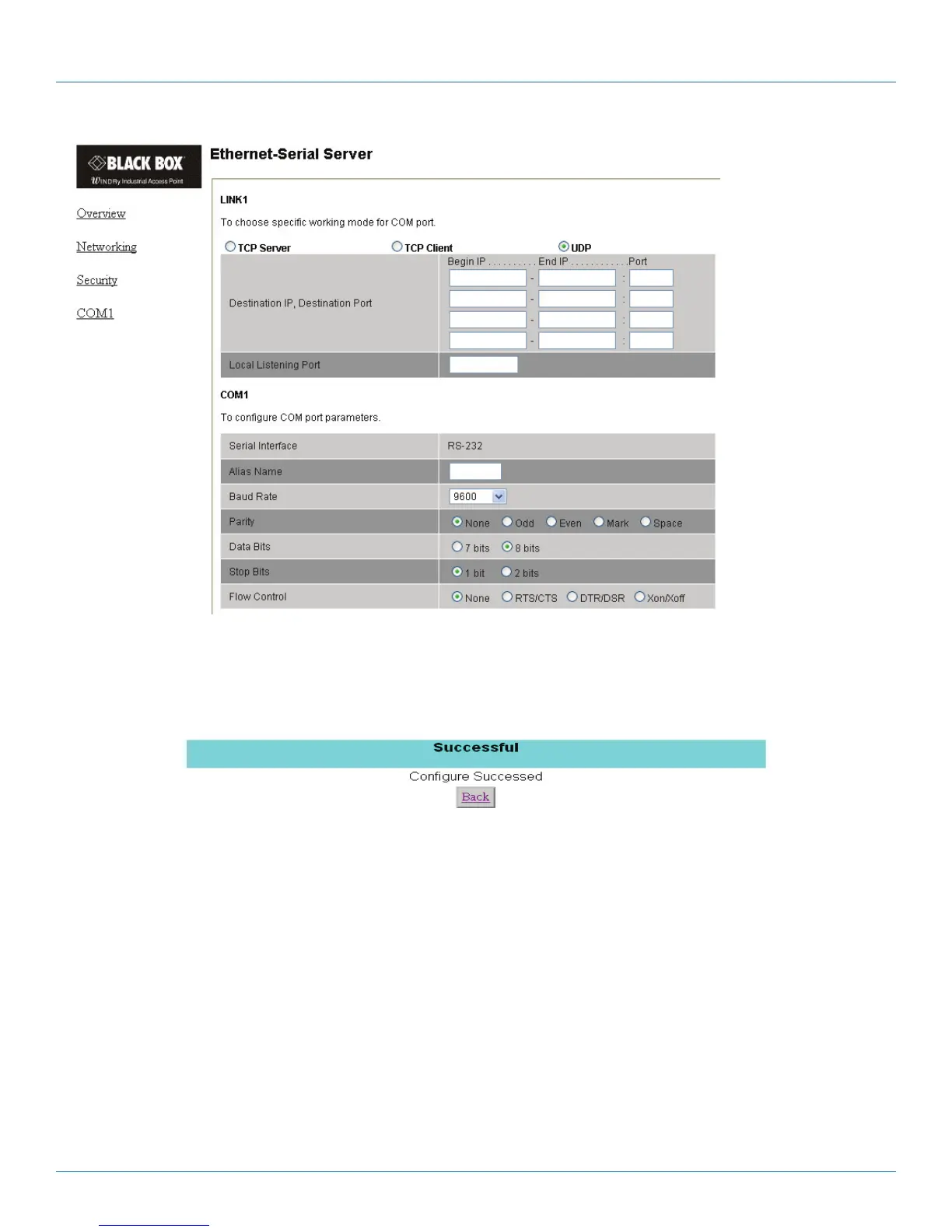
Figure 4-27. COM1 setup—UDP mode.
1. Click on “Save Configuration” to save the changes.
2. If the update is successful, the following screen appears.
Figure 4-28. Configuration is successful.
4.4 Assign a New IP Address by ARP Command
Use ARP command to assign a static IP address to LES301A using its hardware MAC address. The MAC address is printed on the
rear side of device in the format of “0060E9-xxxxxx.” The following example shows how it works in the MS-DOS command
prompt window.
For example, change IP from 10.0.50.100 to 10.0.50.101, and the MAC address for LES301A is 00-60-e9-11-11-01.
Step 1: Add the new host IP to ARP table.
• Open the MS-DOS command prompt window.
• Input “arp -s 10.0.50.101 00-60-E9-11-11-01.”











 To Next Page