724-746-5500 | blackbox.com
Page 36
LES301A user manual
724-746-5500 | blackbox.com
Chapter 4: Software Setup
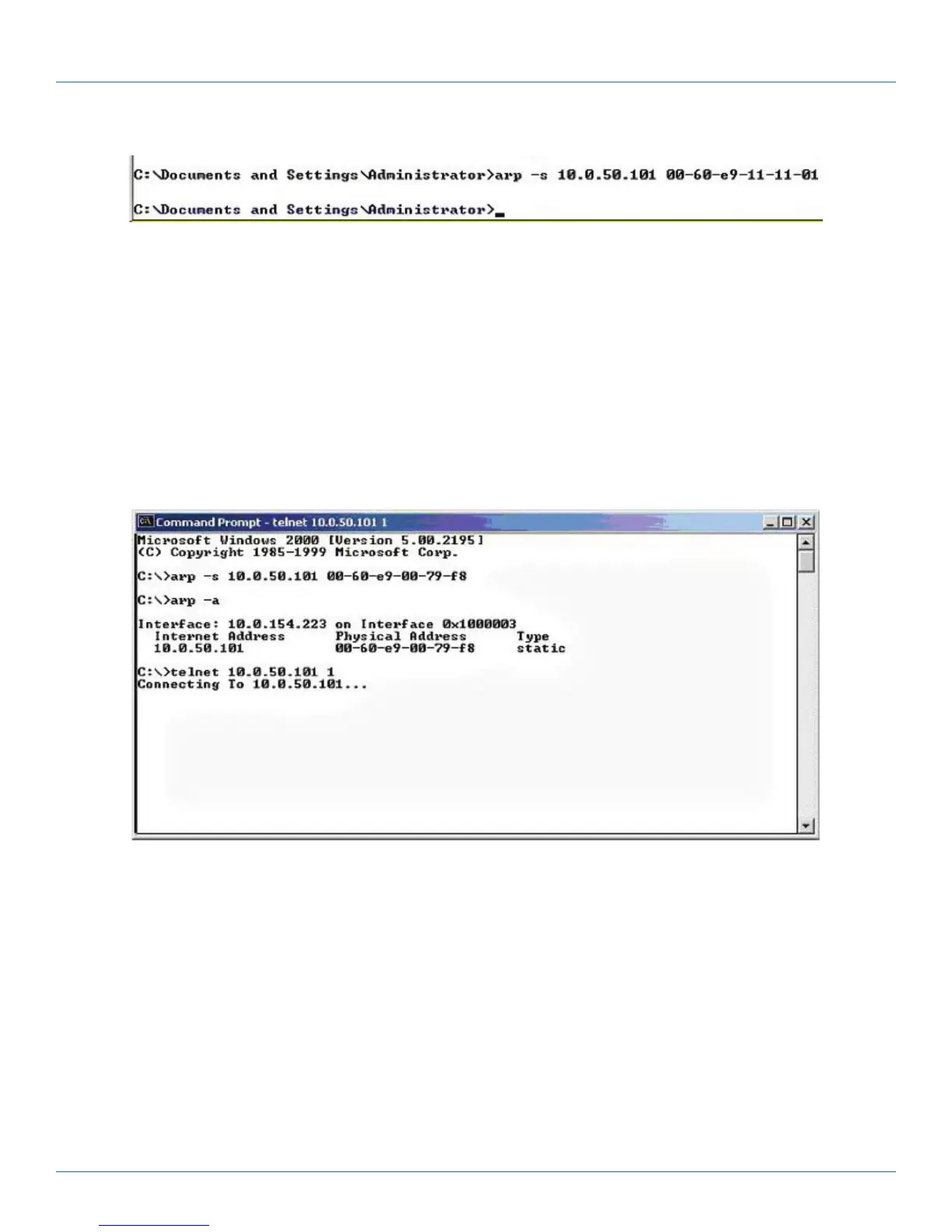
Figure 4-29. MS-DOS command prompt window.
Step 2: Change to new IP via Telnet Port 1.
• Input “telnet 10.0.50.101 1”
NOTE: The Telnet will fail, and the LES301A will restart automatically. After restart, the IP address should change to 10.0.50.101.
Step 3: Use a new IP to configure LES301A via Telnet.
• Input “telnet 10.0.50.101”
NOTE: When using this method to change the IP address, the PC's IP address and the LES301A’s IP address must belong to the
same subnet.
NOTE: The changed IP address must be legal, otherwise it will be changed back to the default value (10.0.50.100) after restart.
Figure 4-30. Assigning a new IP address by ARP command.











 To Next Page