724-746-5500 | blackbox.com
724-746-5500 | blackbox.com
Page 53
LES301A user manual
Appendix C: Using SerialManager Utility
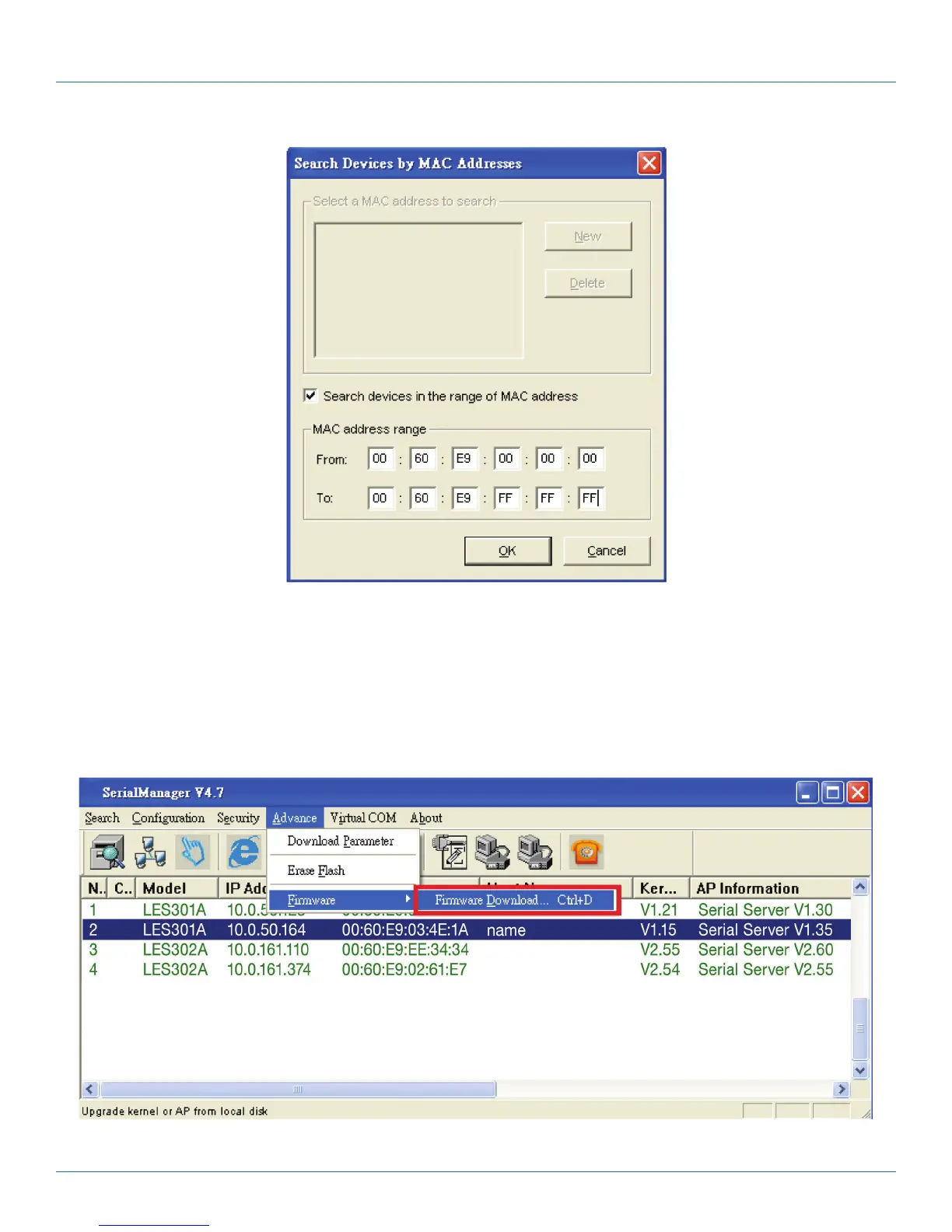
Figure C-6. Search Devices by MAC Addresses screen.
Rescan
Once you click the “Rescan” button on the toolbar, the SerialManager utility will re-search devices by using the current search way.
C.3.2 Firmware
This function is applied to downloading a firmware into the selected device. You can enter the window for downloading by first
clicking a designated network device, and then selecting the submenu option “Firmware Download” in the main menu option
“Firmware”, or by directly clicking the “Upgrade” button from the disk.
Figure C-7. Download firmware.











 To Next Page