724-746-5500 | blackbox.com
724-746-5500 | blackbox.com
Page 41
LES301A user manual
Chapter 5: Using Virtual COM
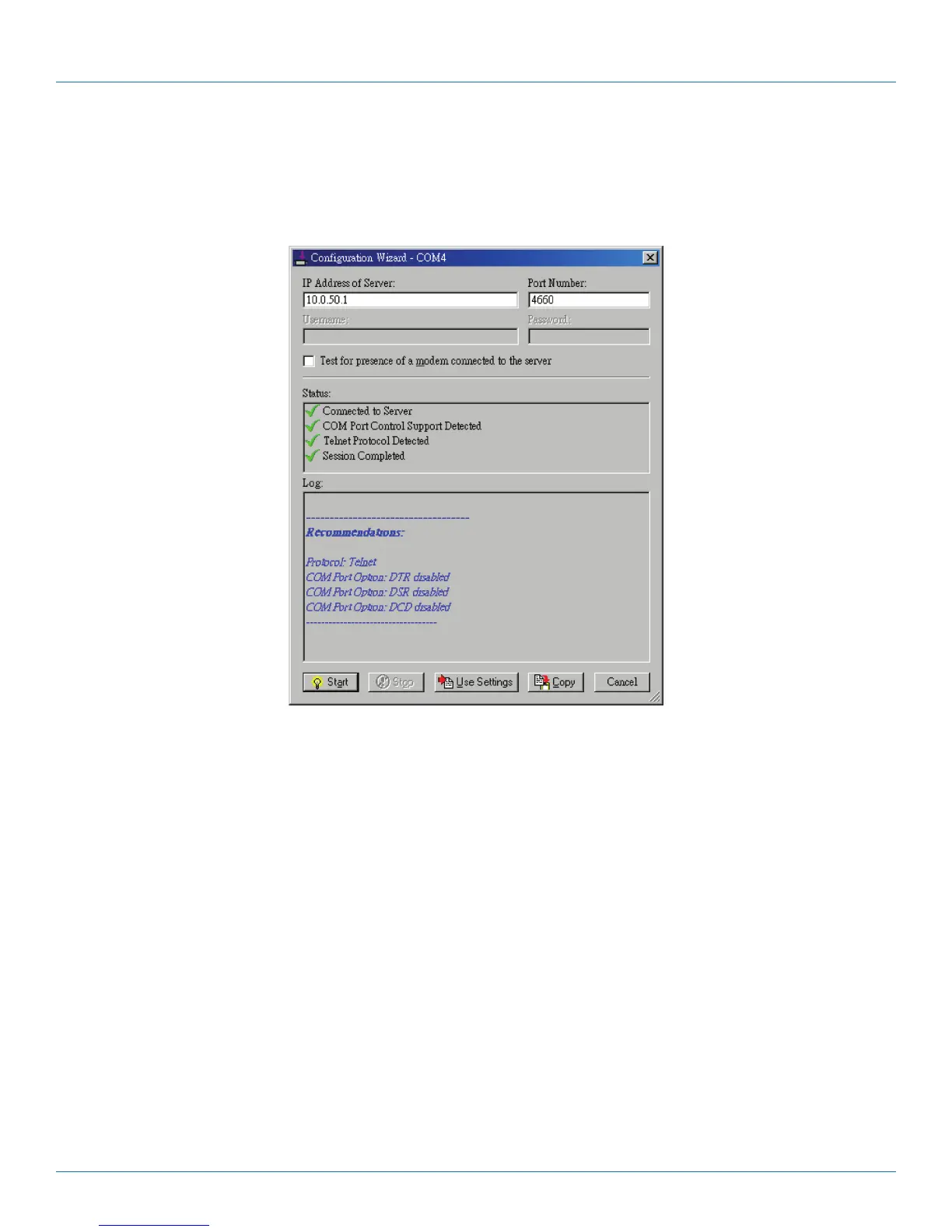
5. Click the “Configuration Wizard” button and then click the “Start” button that appears in the wizard window. This important
step verifies that the Virtual COMRedirector can communicate with the serial server using the settings you have provided. If the
Log display does not show errors, click the “Use Settings” button in the wizard. This makes the recommended settings effec-
tive and returns you to the Control Panel to continue with the following steps.
Figure 5-5. Configuration Wizard.
6. For Connection Protocol, the setting must match the TCP/IP protocol that the serial server supports. The Configuration Wizard
is usually able to determine the correct setting.
7. For COM Port Options, the settings must match the COM port behavior expected by the PC application that will use this COM
port. The Configuration Wizard will recommend a combination of settings.











 To Next Page