724-746-5500 | blackbox.com
724-746-5500 | blackbox.com
Page 155
Chapter 3: Configuration
3.17 Thermal Protection
This section describes how to inspect and configure current settings for controlling thermal protection. Thermal protection is used
to protect the chip from becoming overheated.
3.17.1 Configuration
When the temperature exceeds the configured thermal protection temperature, ports will be turned off to decrease the power
consumption. It is possible to arrange the ports with different priorities. Each priority can be given a temperature at which the
corresponding ports will be turned off.
Web Interface
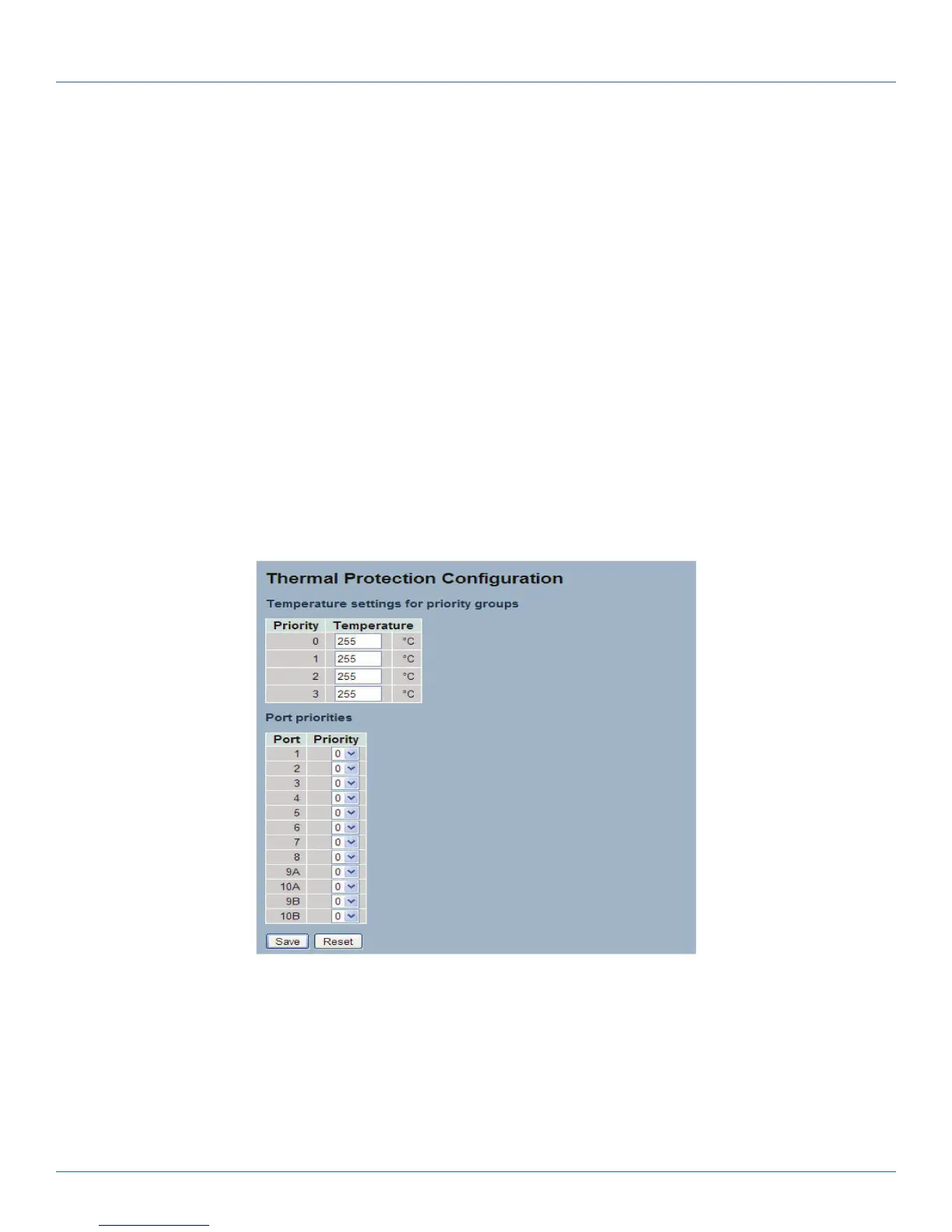
To configure the Thermal Protection in the Web interface:
1.Click Configuration, Thermal Protection, Configuration.
2. Specify the temperature in the priority 0 to 3.
3. Scroll to set the Priority.
4. Click the Save button to save the setting.
5. To cancel the setting, click the Reset button to revert to previously saved values.
Figure 3-86. The Thermal Protection Configuration screen.
Parameter Description
Temperature settings for priority groups
The temperature at which the ports with the corresponding priority will be turned off.
• Priority: The criteria index for thermal protect trigger temperature, indexed from 0 to 3.
• Temperature: To set the temperature criterion to trigger the thermal protect.
LPB2810A











 To Next Page