724-746-5500 | blackbox.com
Page 176
724-746-5500 | blackbox.com
Chapter 4: Security
4.3 DHCP Snooping
The section describes how to configure the DHCP Snooping parameters of the switch, for the purpose of preventing attackers
from adding their own DHCP servers to the network.
4.3.1 Configuration
This section describes how to configure the DHCP Snooping setting including:
- Snooping Mode (Enabled and Disabled)
- Port Mode Configuration (Trusted, Untrusted)
Web Interface
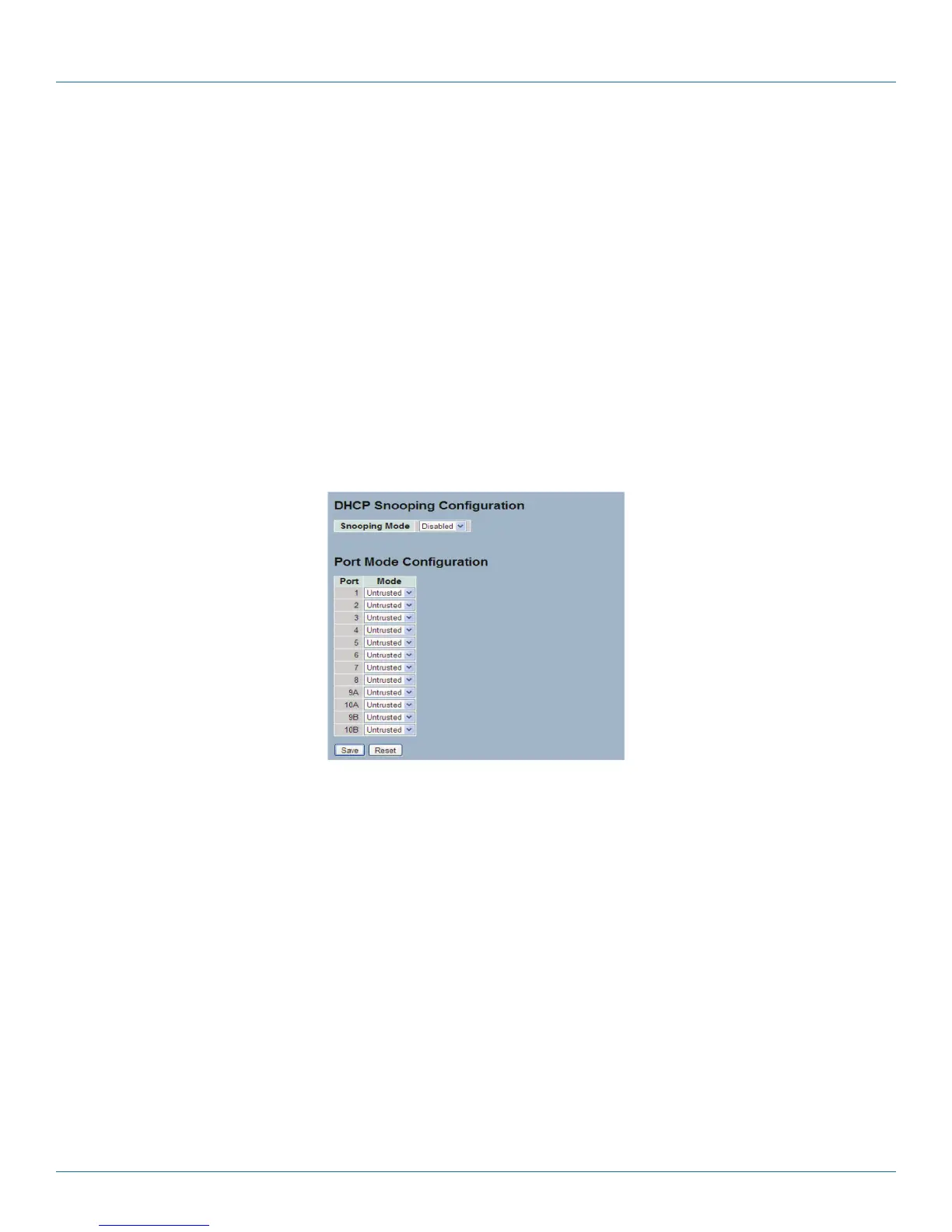
To configure DHCP Snooping in the Web interface:
1. Select “Enabled” in the Mode of DHCP Snooping Configuration.
2. Select “Trusted” of the specific port in the Mode of Port Mode Configuration.
3. Click “Save.“
Figure 4-7. The DHCP Snooping Configuration screen.
Parameter Description
• Snooping Mode: Indicates the DHCP snooping mode operation. Possible modes are:
- Enabled: Enable DHCP snooping mode operation. When DHCP snooping mode operation is enabled, the DHCP request
messages will be forwarded to trusted ports and only allow reply packets from trusted ports.
- Disabled: Disable DHCP snooping mode operation.
• Port Mode: Indicates the DHCP snooping port mode. Possible port modes are:
- Trusted: Configures the port as trusted source of the DHCP messages.
- Untrusted: Configures the port as untrusted source of the DHCP messages.
• Buttons:
- Save: Click to save changes.
- Reset: Click to undo any changes made locally and revert to previously saved values.
LPB2810A











 To Next Page