724-746-5500 | blackbox.com
Page 78
724-746-5500 | blackbox.com
Chapter 3: Configuration
3.6.4 Status
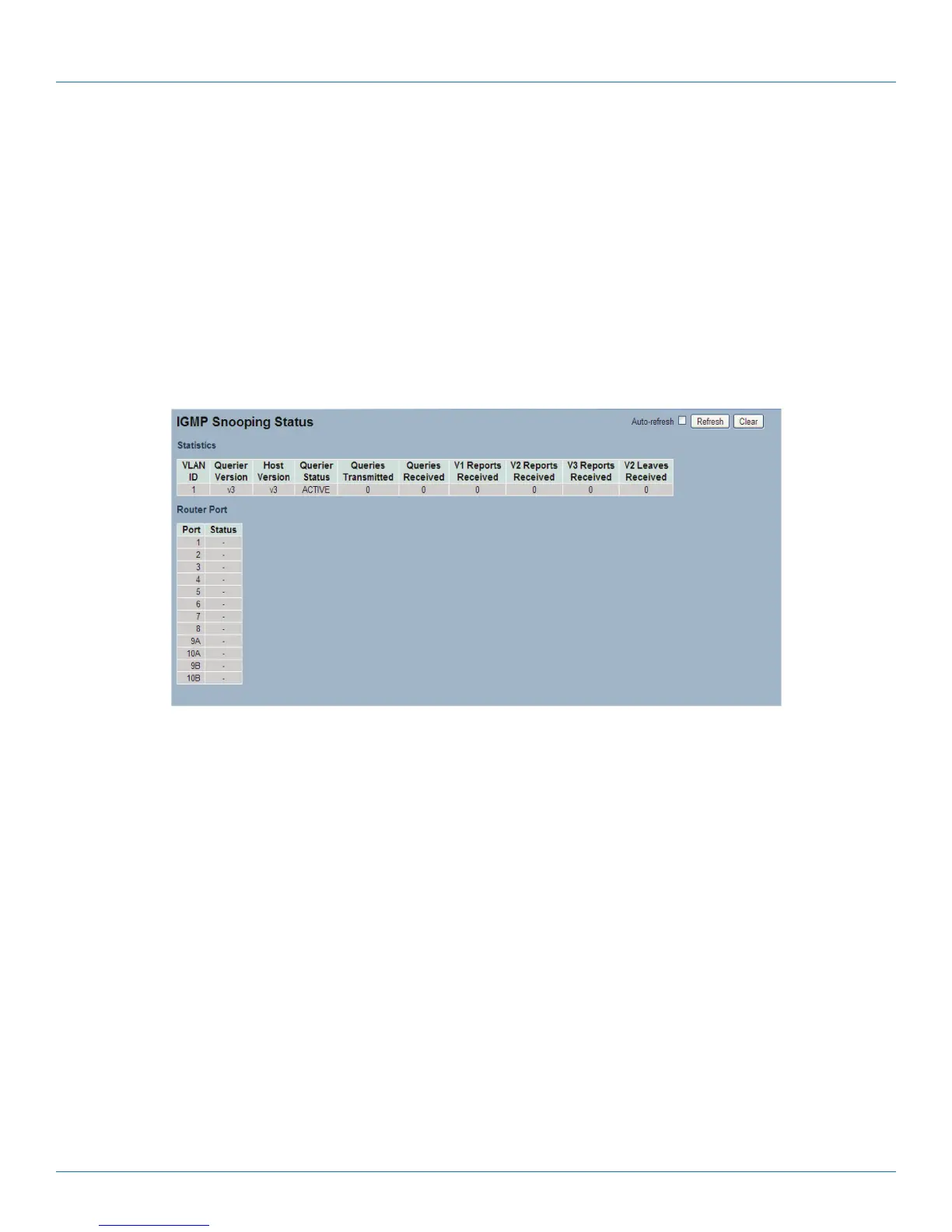
After completing the IGMP Snooping configuration, the switch will display the IGMP Snooping Status. This section enables you to
view the IGMP Snooping detail status.
Web Interface
To display the IGMP Snooping status in the Web interface:
1. Click Configuration, IGMP Snooping, Status.
2. If you want to auto-refresh the information, check “Auto-refresh”.
3. Click “Refresh“ to refresh the IGMP Snooping Status.
4. Click “Clear“ to clear the IGMP Snooping Status.
Figure 3-30. The IGMP Snooping Status screen.
Parameter Description
• VLAN ID: The VLAN ID of the entry.
• Querier Version: The current working Querier Version.
• Host Version: the current working Host Version.
• Querier Status: Shows the Querier status is “Active“ or “Idle".
• Queries Transmitted: The number of Queries transmitted.
• Queries Received: The number of Queries received.
• V1 Reports Received: The number of V1 Reports received.
• V2 Reports Received: The number of V2 Reports received.
• V3 Reports Received: The number of V3 Reports received.
• V2 Leaves Received: The number of V2 Leaves received.
• Auto-refresh: Check “Auto-refresh“ to set the switch to refresh the log automatically.
• Icons, upper right of screen (Refresh, clear): Click to refresh the Status or clear it manually.
LPB2810A











 To Next Page