724-746-5500 | blackbox.com
724-746-5500 | blackbox.com
Page 77
Chapter 3: Configuration
Web Interface
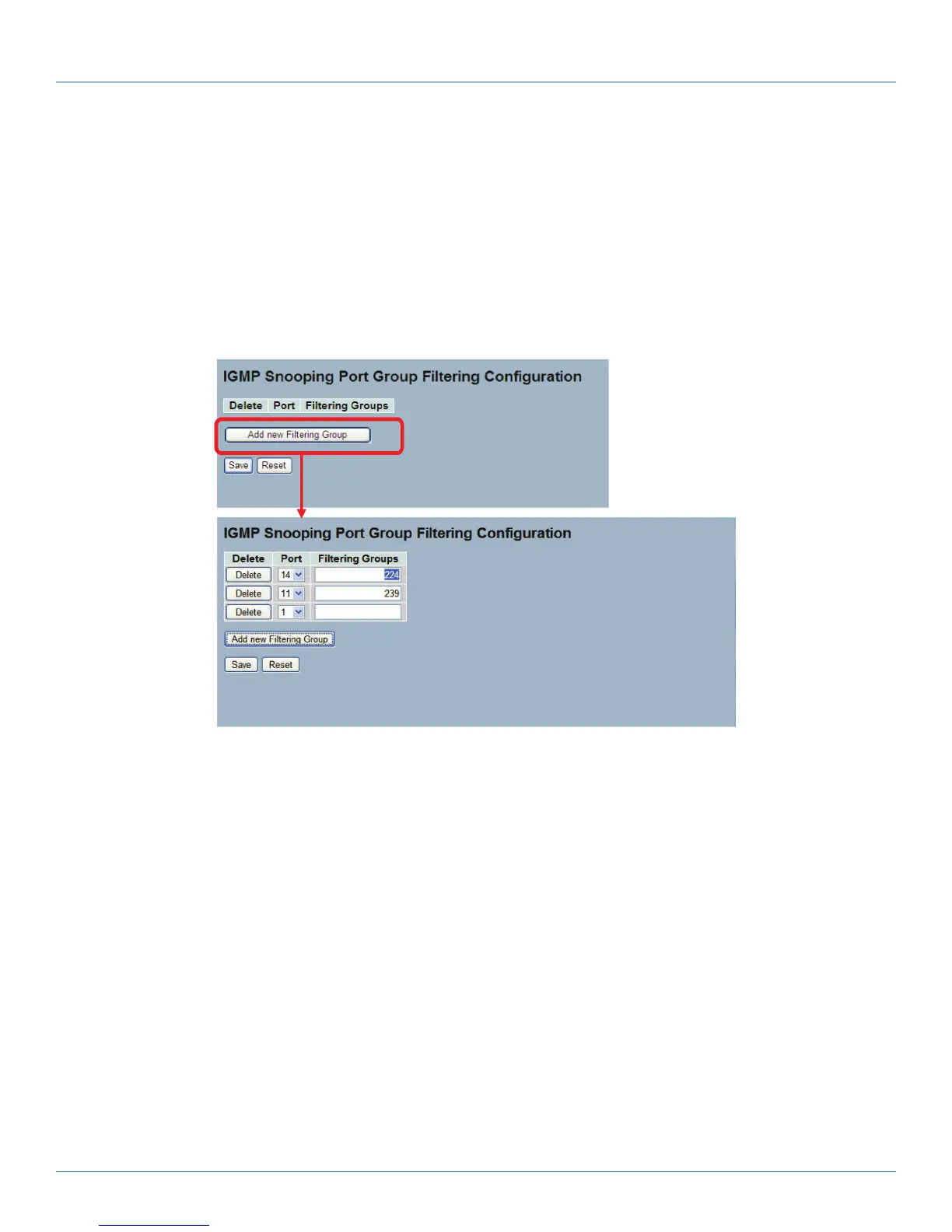
To configure the IGMP Snooping Port Group Configuration in the Web interface:
1. Click Configuration, IGMP Snooping, Port Group Filtering
2. Click Add new Filtering Group
3. Scroll the Port to enable the Port Group Filtering. Specify the Filtering Groups in the blank field.
4. Click the Save button to save the setting.
5. To cancel the setting, click the Reset button to revert to previously saved values.
Figure 3-29. The IGMP Snooping Port Group Filtering Configuration screen.
Parameter Description
• Delete: Check to delete the entry. It will be deleted during the next save.
• Port: To evoke the port, enable the IGMP Snooping Port Group Filtering function.
• Filtering Groups: The IP Multicast Group that will be filtered.
• Buttons:
- Save: Click to save changes.
- Reset: Click to undo any changes made locally and revert to previously saved values.
LPB2810A











 To Next Page