724-746-5500 | blackbox.com
Page 200
724-746-5500 | blackbox.com
Chapter 4: Security
4.8 Access Management
This section shows how to configure access management table of the Switch including HTTP/HTTPS, SNMP, and TELNET/SSH. You
can manage the Switch over an Ethernet LAN, or over the Internet.
4.8.1 Configuration
This section shows how to configure access management table of the switch. The maximum entry number is 16. If the
application’s type matches any one of the access management entries, it will allow access to the switch.
Web Interface
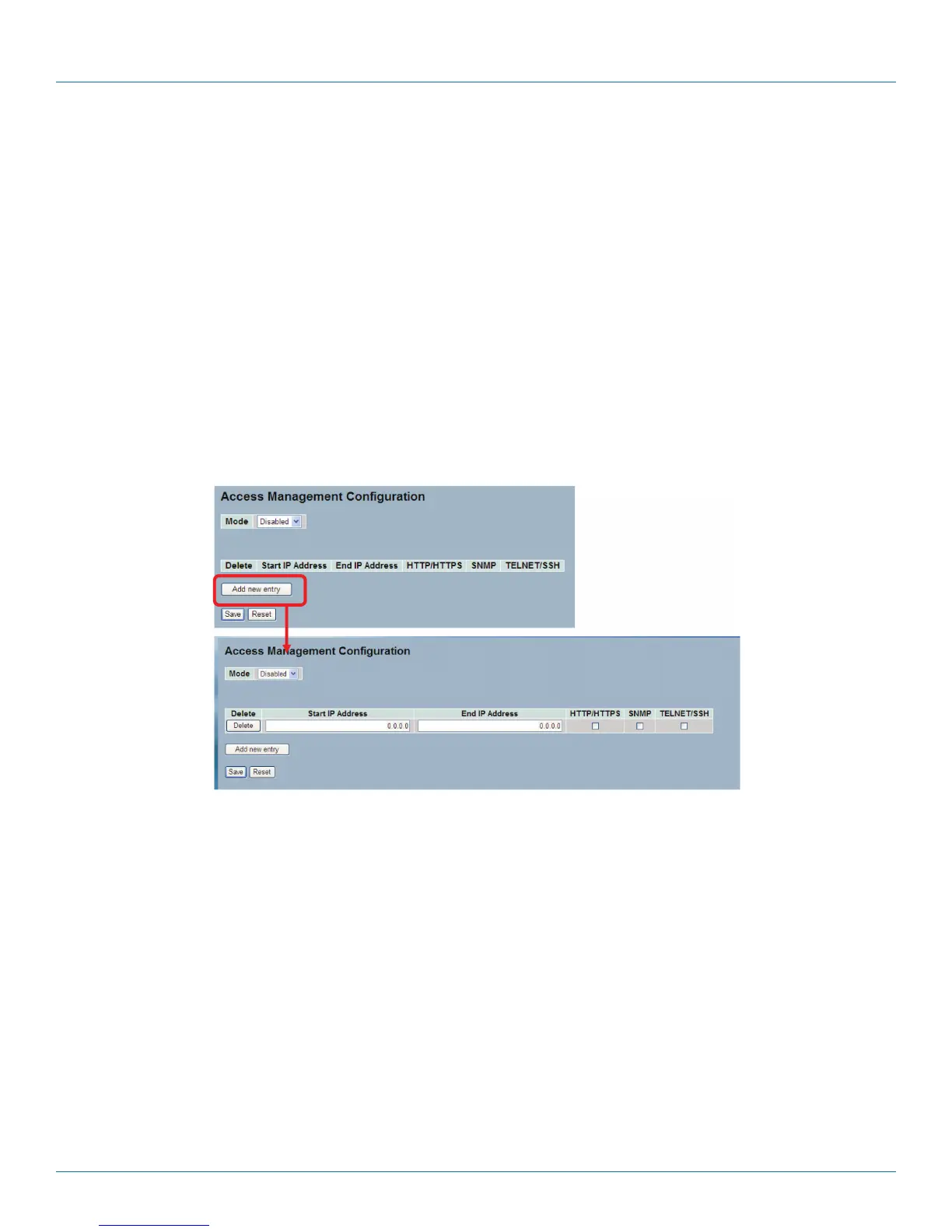
To configure a Access Management Configuration in the Web interface:
1. Select “Enabled” in the Mode of Access Management Configuration.
2. Click “Add new entry.”
3. Specify the Start IP Address, End IP Address.
4. Check Access Management method (HTTP/HTTPS, SNMP, and TELNET/SSH) in the entry.
5. Click “Save.“
Figure 4-24. The Access Management Configuration screen.
Parameter Description
• Mode: Indicates the access management mode operation. Possible modes are:
- Enabled: Enable access management mode operation.
- Disabled: Disable access management mode operation.
• Delete: Check to delete the entry. It will be deleted during the next save.
• Start IP address: Indicates the start IP address for the access management entry.
• End IP address: Indicates the end IP address for the access management entry.
• HTTP/HTTPS: Indicates that the host can access the switch from HTTP/HTTPS interface if the host IP address matches the IP
address range provided in the entry.
• SNMP: Indicates that the host can access the switch from SNMP interface if the host IP address matches the IP address range
provided in the entry.
• TELNET/SSH: Indicates that the host can access the switch from TELNET/SSH interface if the host IP address matches the IP
address range provided in the entry.
LPB2810A











 To Next Page