724-746-5500 | blackbox.com
724-746-5500 | blackbox.com
Page 173
Chapter 3: Configuration
4.2 ARP Inspection
The section describes to configure the ARP Inspection parameters of the switch. Use the ARP Inspection configure to manage the
ARP table.
4.2.1 Configuration
This section describes how to configure ARP Inspection setting including:
- Mode (Enabled and Disabled).
- Port (Enabled and Disabled).
Web Interface
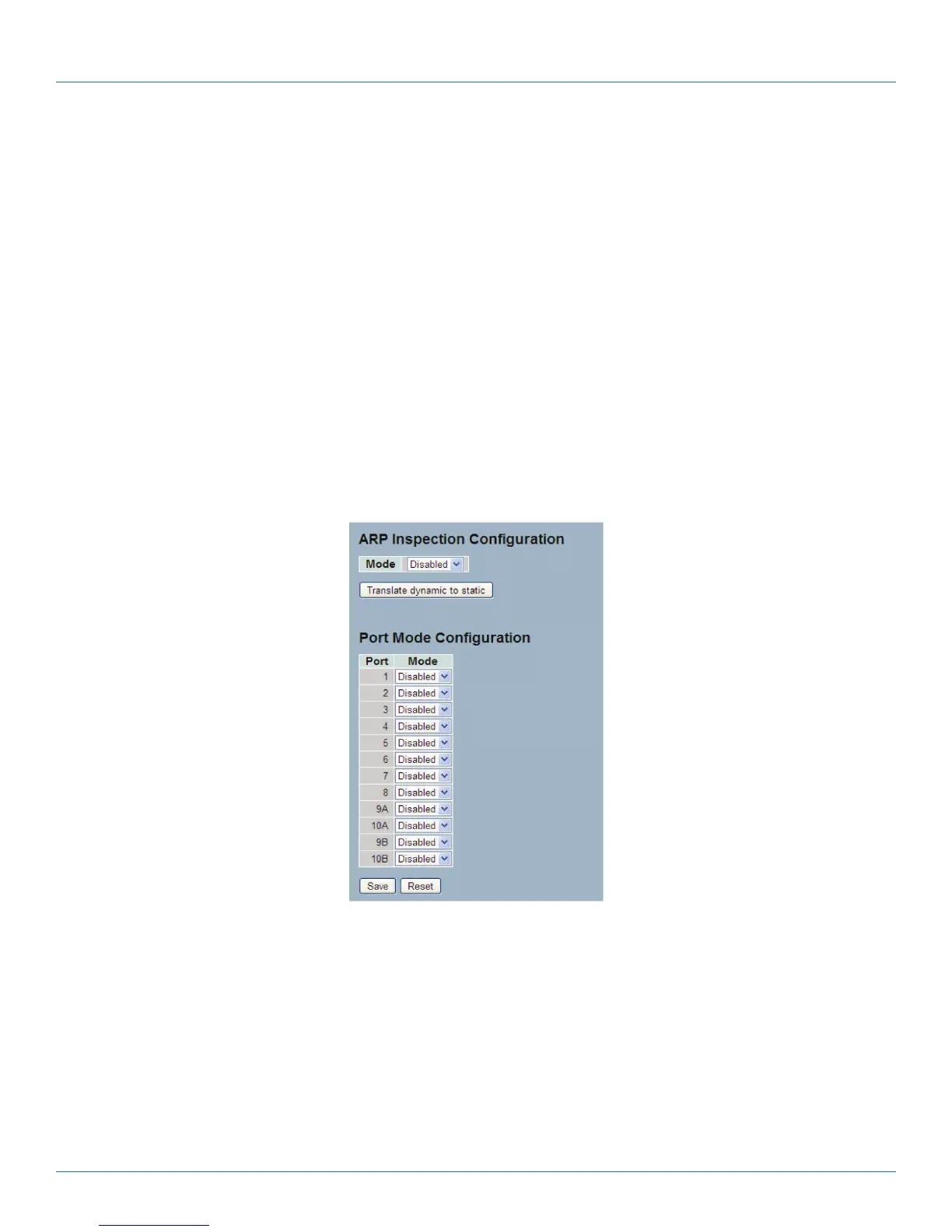
To configure an ARP Inspection Configuration in the Web interface
1. Select “Enabled” in the Mode of ARP Inspection Configuration.
2. Select “Enabled” for the specific ports to enable in the Mode of Port Mode Configuration.
3. Click “Save.“
Figure 4-4. The ARP Inspection Configuration screen.
Parameter Description
• Mode of ARP Inspection Configuration: Enable or disable the Global ARP Inspection.
• Port Mode Configuration: Specify ARP Inspection is enabled on which ports. ARP Inspection is enabled on this given port only
when both Global Mode and Port Mode on a given port are enabled.
• Buttons:
- Save: Click to save changes.
- Reset: Click to undo any changes made locally and revert to previously saved values.
LPB2810A











 To Next Page