724-746-5500 | blackbox.com
724-746-5500 | blackbox.com
Page 135
Chapter 3: Configuration
3.15.2 Statistics
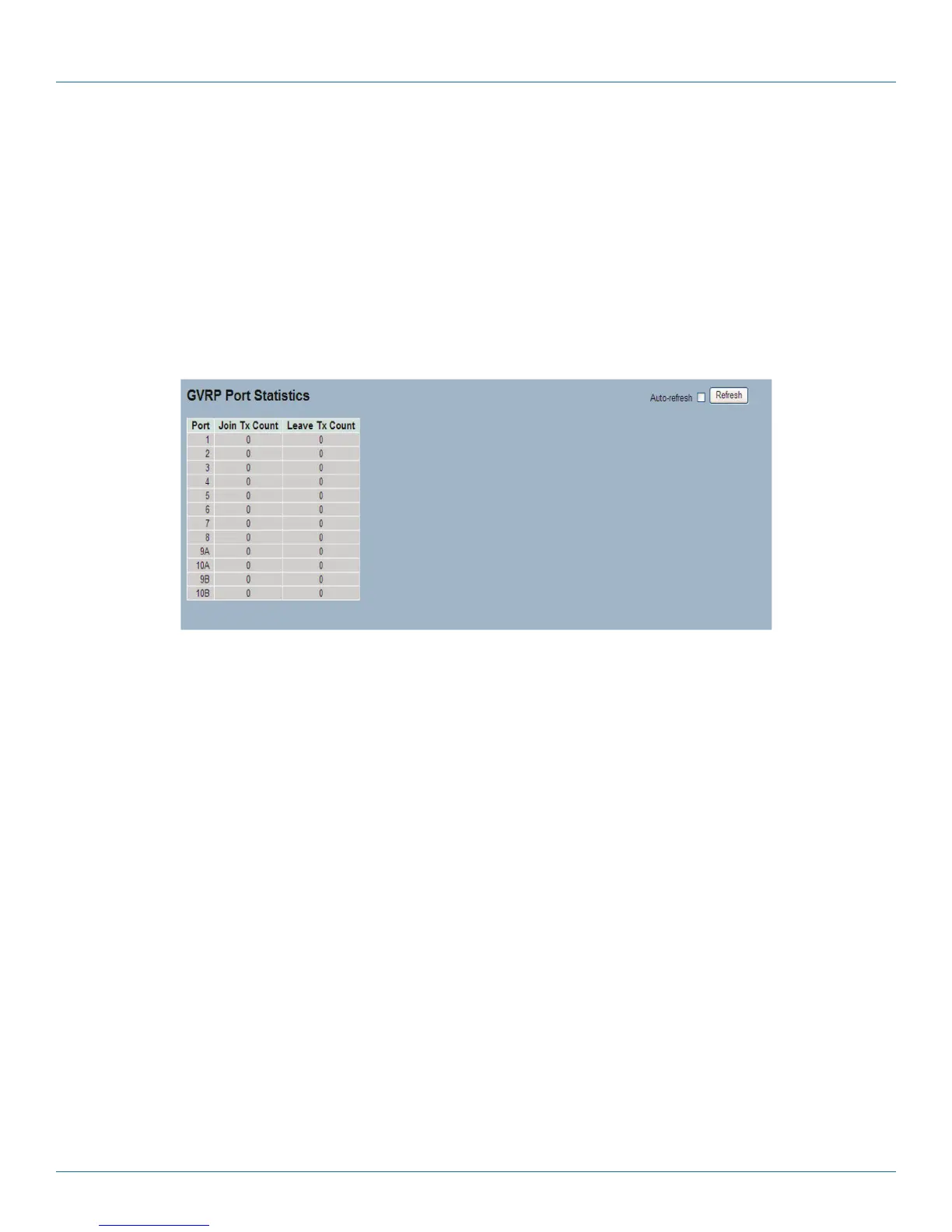
The section describes the basic GVRP Port statistics for all switch ports. The statistics relate to the currently selected unit, as
shown in the page header.
Web Interface
To display GVRP Port statistics in the Web interface:
1. Click GVRP statistics.
2. Scroll to the port you want to display the GVRP Counter information.
3. Click Refresh to modify the GVRP statistics information.
Figure 3-71. The GVRP Port Statistics screen.
Parameter Description
• Port: The Port column shows the list of ports for which you can see port counters and statistics.
• Join Tx Count: Records the number of Join message packets sent from the switch when GVRP is enabled and the VLAN is built
up.
• Leave Tx Count: Records the number of Leave message packets sent from the switch when the VLAN group is cancelled.
• Auto-refresh: Check the auto-refresh box to set the unit to refresh information automatically.
• Icon, upper right of screen (Refresh): Click to refresh the GVRP Port Statistics information manually.
LPB2810A











 To Next Page