Reference Source
Used to select the genlock source. The Studio Camera can lock to program SDI input or
external genlock source. If using an external genlock source, be aware that changing that
source will most likely cause a glitch as the camera locks to the new source.
Reference Timing
Allows you to manually adjust the reference timing on a line or pixel basis.
Headset Level
Move the volume slider left or right to increase or decrease audio monitoring levels. The default
setting is 50%.
Headset Mic Level
Move the volume slider left or right to increase or decrease audio microphone input levels.
Thedefault setting is 50%.
Program Mix
Changes the balance of camera sound to talkback sound. The headphones will output audio
following what is displayed on the LCD. For instance, if you are in camera view, camera audio is
heard. And if you are in program view, program audio is heard. The default setting is 0%.
Remote Settings
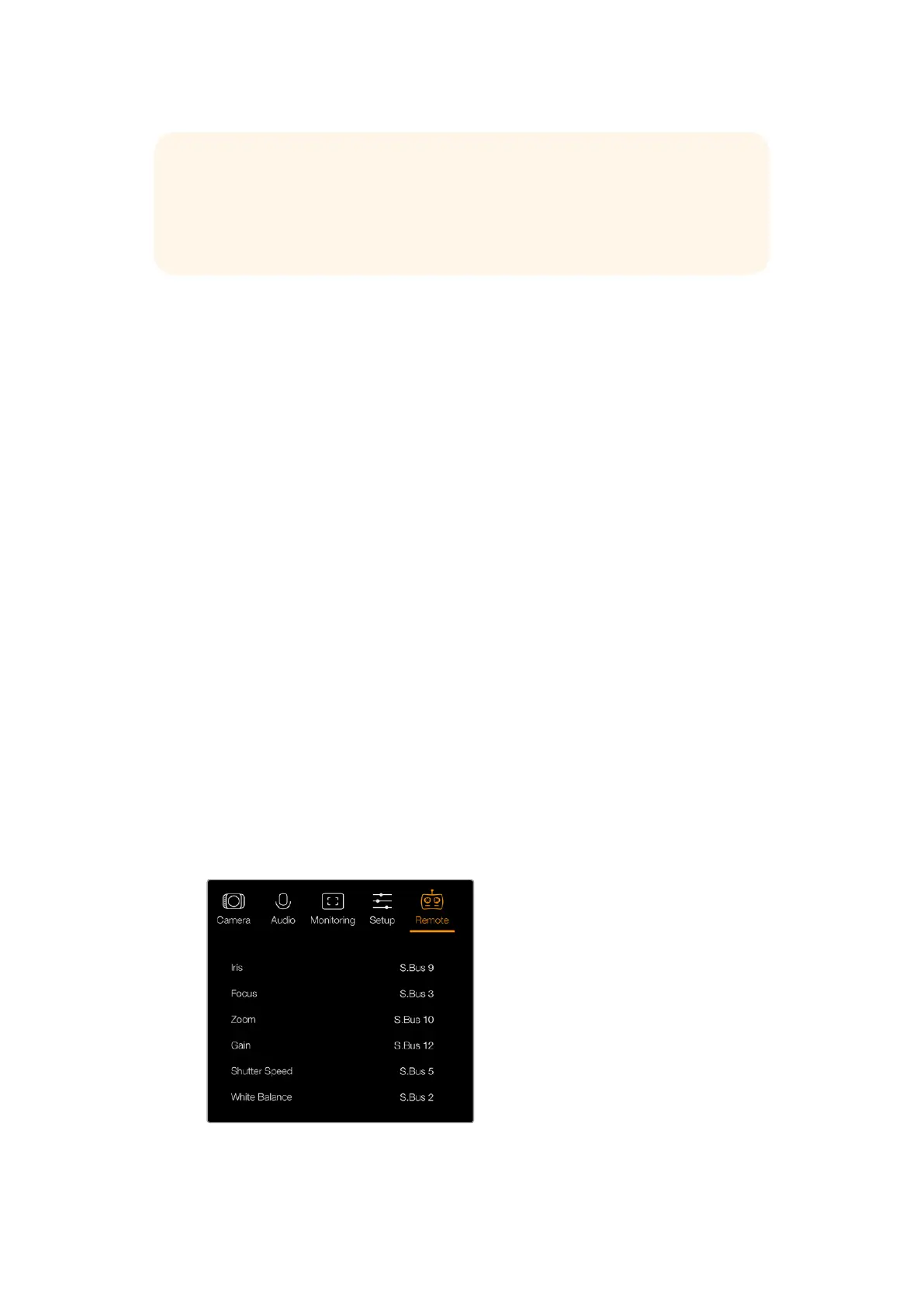
Blackmagic Micro Studio Camera 4K features an additional menu for setting remote functions.
Ifyou are using S.Bus to control your camera, you can use this menu to assign functions such,
iris, shutter speed and so on to individual S.Bus channels. Simply select the function you wish to
control and assign an available channel using the ‘up,’ ‘down’ and ‘set’ buttons.
Remote settings - Blackmagic Micro Studio Camera 4K.
TIP You can also connect the program return feed from any SDI switcher to your
camera via a Blackmagic 3G-SDI Arduino Shield and display tally on each camera.
AllSDI switchers that have open collector tally outputs are configurable for tally using
the Blackmagic 3G-SDI Arduino Shield. Refer to the section titled ‘Connecting tally
using the Blackmagic 3G-SDI Arduino Shield’ for more information.
2525Settings



 To Next Page