Menu Button
Press this button to bring up the menu and then use the arrow buttons to navigate.
Power Button
Press the power button to turn on the Blackmagic Studio Camera. Press and hold the button to
turn the camera.
Camera Video Output
Connecting to Video Switchers
Blackmagic Studio Cameras output 10-bit 4:2:2 video so you can connect to broadcast
switchers and other SDI video equipment. With the user upgradable SFP module installed you
can connect via optical fiber, which means ATEM Camera Converters are not required at the
camera end.
If you’re using a Blackmagic Studio Camera HD or Studio Camera 4K, you can easily view the
Program (PGM) output from the switcher by connecting it to your Studio Camera’s SDI input,
orto the optical fiber input when the user upgradable SFP module is installed.
Blackmagic Studio Camera also features a reference input which allows multiple cameras to be
genlocked to a blackburst or tri-level reference signal. Genlocking cameras, VTRs and other
devices to an external reference signal helps to eliminate timing errors which may result in the
picture jumping when switching between different sources.
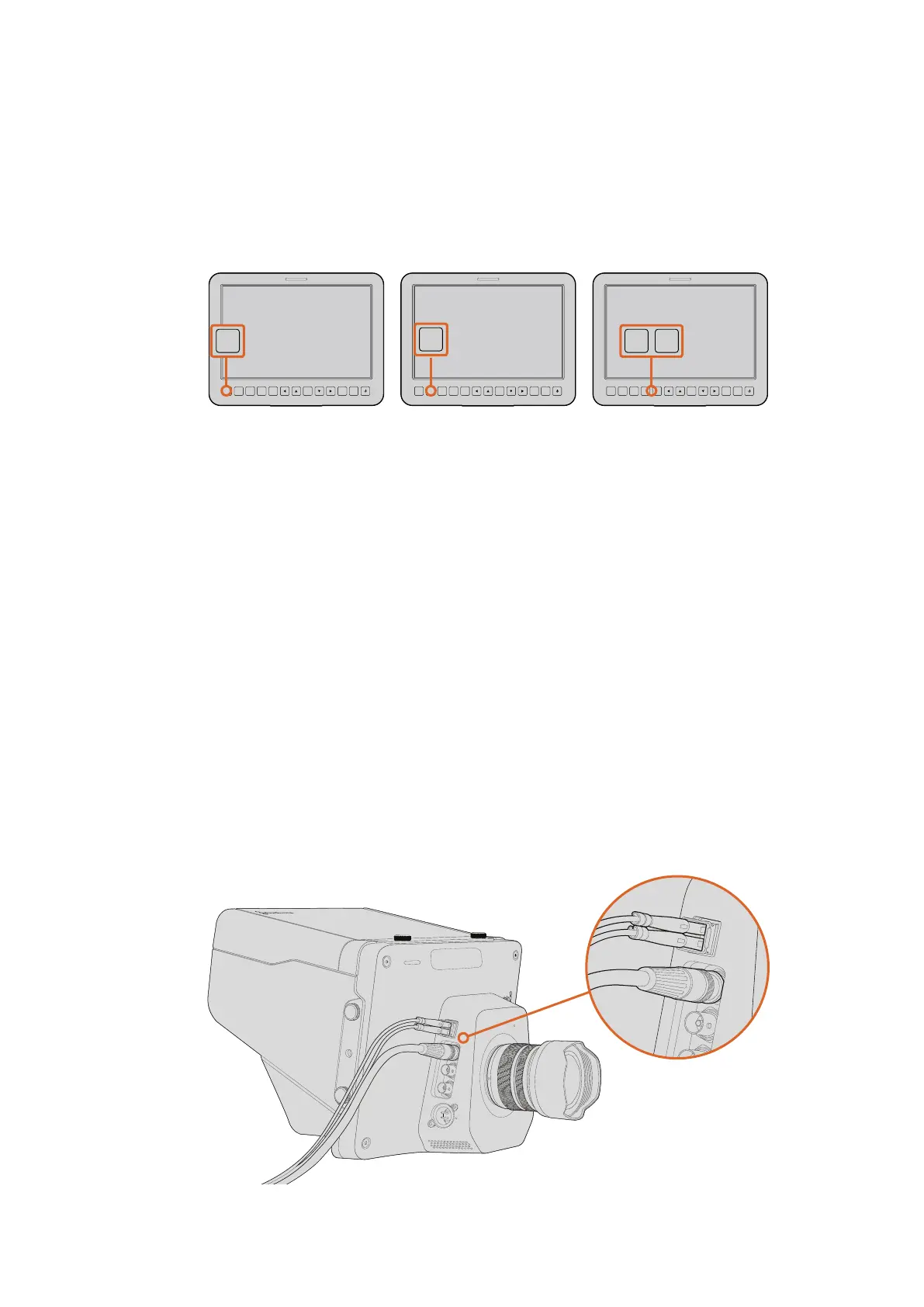
Connect your Studio Camera to a switcher via SDI, or via
optical fiber with user upgradable SFP module installed
Press the focus button once
to auto focus. A quick double
press of the focus button
activates focus peaking.
Press the iris button for auto
exposure or use the up and
down navigation controls
for manual exposure.
The Studio Camera features
settings like PTT and
PGM which are essential
for live production.
FOCUS
SDI OUT
OPTICA
L OUT
OPTICAL IN
SDI IN
REF
12V
IRIS PTT PGM LUT SET DISPLAY MENU
1
PUSH
2
PUSH
FOCUS
SDI OUT
OPTICA
L OUT
OPTICAL IN
SDI IN
REF
12V
IRIS PTT PGM LUT SET DISPLAY MENU
FOCUS
SDI OUT
OPTICA
L OUT
OPTICAL IN
SDI IN
REF
12V
IRIS PTT PGM LUT SET DISPLAY MENU
1
PUSH
2
PUSH
FOCUS
SDI OUT
OPTICA
L OUT
OPTICAL IN
SDI IN
REF
12V
IRIS PTT PGM LUT SET DISPLAY MENU
FOCUS
SDI OUT
OPTICA
L OUT
OPTICAL IN
SDI IN
REF
12V
IRIS PTT PGM LUT SET DISPLAY MENU
1
PUSH
2
PUSH
FOCUS
SDI OUT
OPTICA
L OUT
OPTICAL IN
SDI IN
REF
12V
IRIS PTT PGM LUT SET DISPLAY MENU
OPTICAL OUT
OPTICAL IN
SDI OUT
SDI IN
REF
12V
OPTICAL OUT
OPTICAL IN
SDI OUT
SDI IN
REF
12V
2727Camera Video Output



 To Next Page