59
Operations & Maintenance Manual: Cleaning & Maintenance
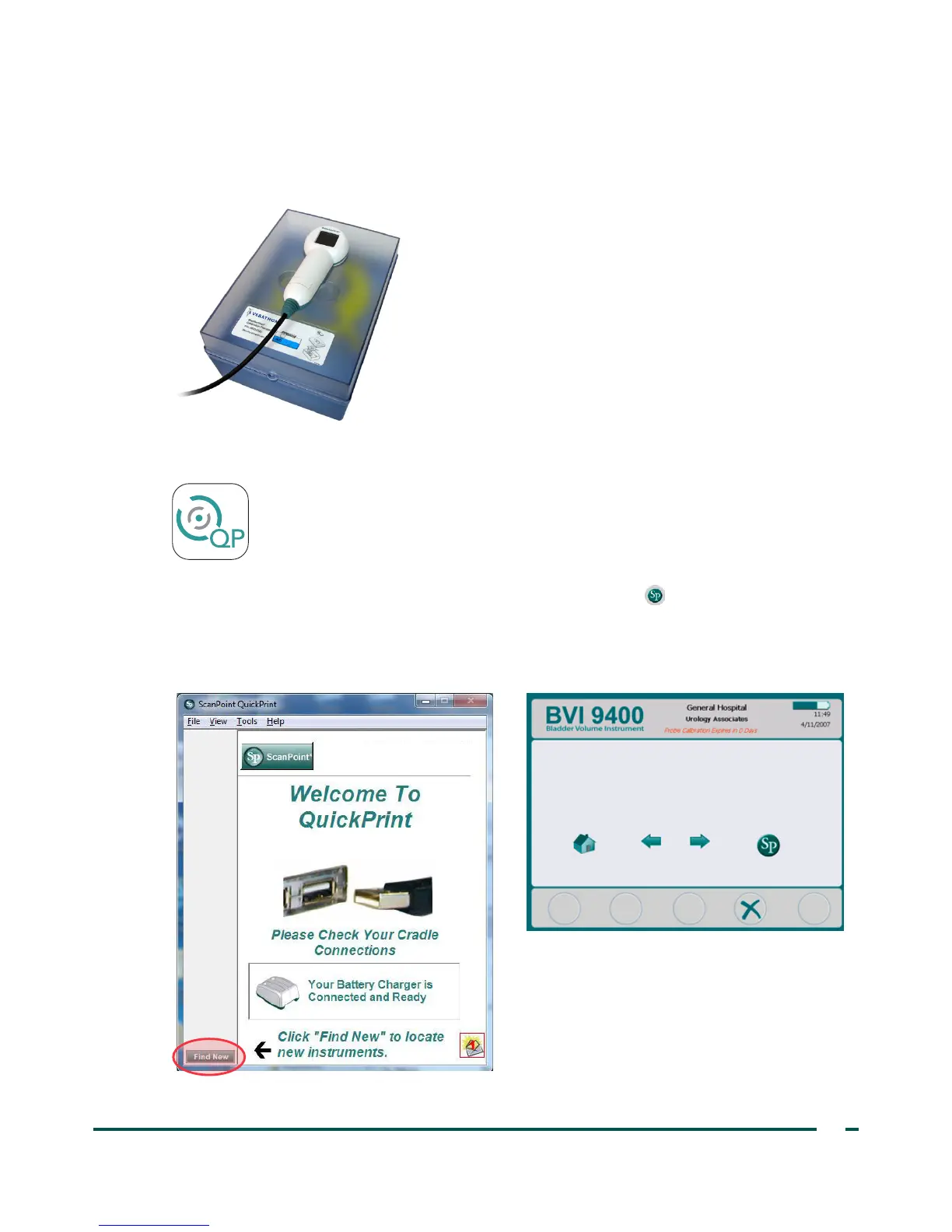
4. Replace the tank lid on the tank base. Ensure that the opening for the scanhead is directly above the
spiral target.
5. Place the probe into the cutout in the lid. Ensure that the tip of the probe is submerged in the water.
6. On the computer, double‑click the ScanPoint with QuickPrint icon. ScanPoint
®
opens.
7. On the instrument, from the Home screen, press the ScanPoint button .
8. On the computer, in the ScanPoint QuickPrint window, click Find New. QuickPrint establishes a
connection with the instrument, and an icon for the device appears in the left pane. On the console, two
arrows appear, confirming that the console is connected to ScanPoint.



 To Next Page