60
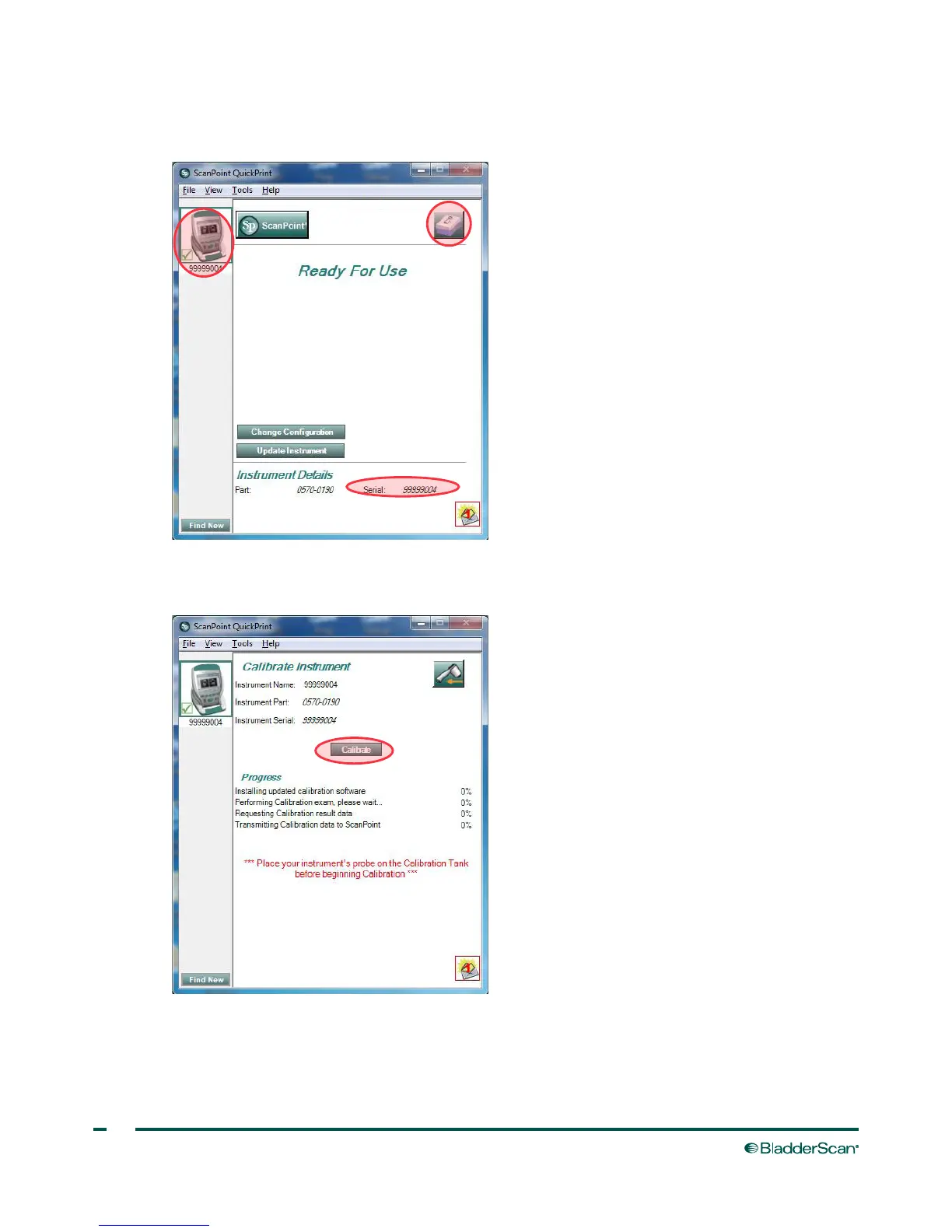
9. Select the 9000 Series device, verify that the serial number on the screen matches the serial number on
the bottom of console, and then click the calibration tank icon.
10. Click the Calibrate button. ScanPoint
®
begins to scan and analyze the data in order to ensure that it
meets the calibration parameters.



 To Next Page