26n
Entering a destination address manually
If you do not know the exact
name of a road or its spelling,
it can also be selected from the list
once the first letter has been en-
tered.<
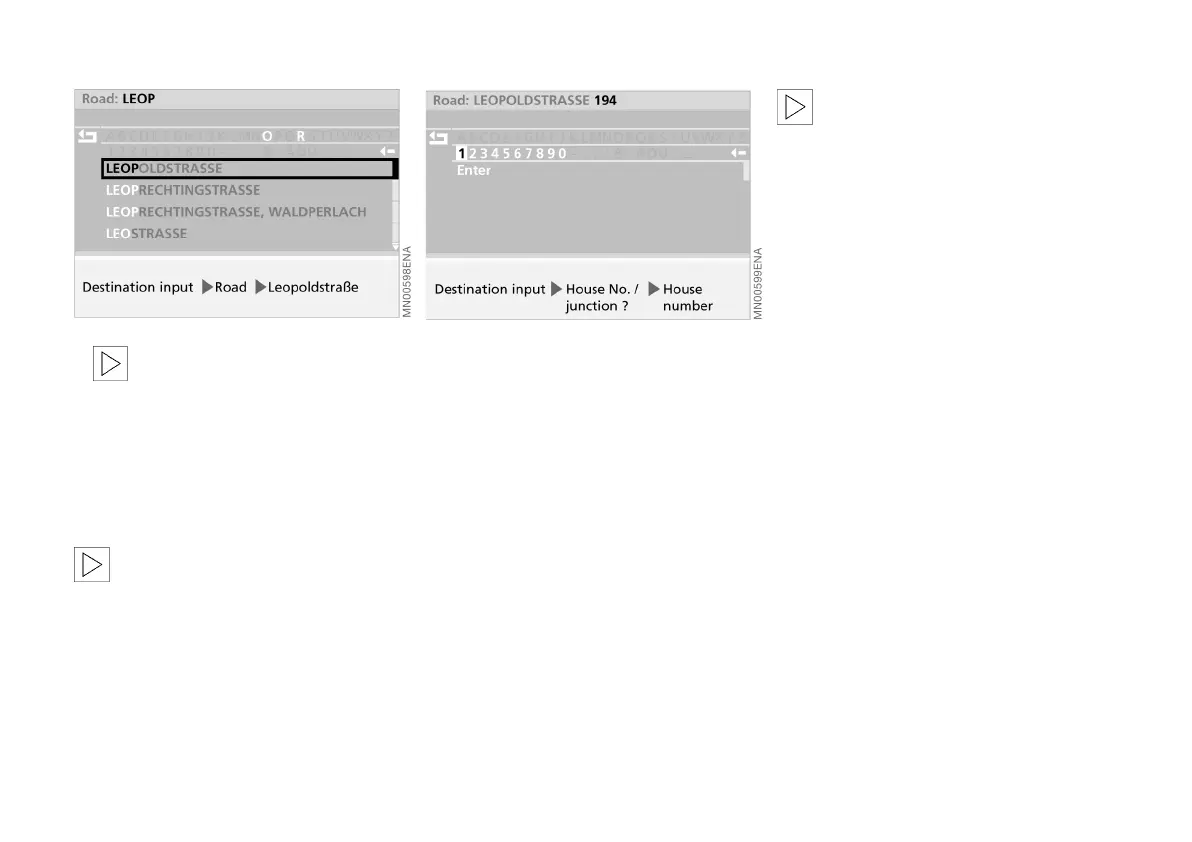
5. Select "Leopoldstraße" from the list
as appropriate.
The road name is accepted.
If no road is specified, destination
guidance will end at the edge of
the city or town.<
Entering house number or
junction
After entering the road, you can select a
house number or junction, e.g. house
number "194".
1. Select "House No. / junction?"
2. Select "House number"
3. Select "1"
4. Select the remaining digits of the
house number
5. Select "Enter".
The house number is accepted.
It may also be possible to enter a
house number for certain roads,
depending on the data stored on the
map CD. The option of entering these
will not appear if no house numbers for
a road are stored on it. In this case, a
junction – if available – can be selected,
or you can start destination guidance
straight away.<
Online Edition for Part No. 01 41 0 156 676 - © 01/02 BMW AG



 To Next Page