43n
OverviewNavigation
Entertainment
TelephoneComputerKeywords
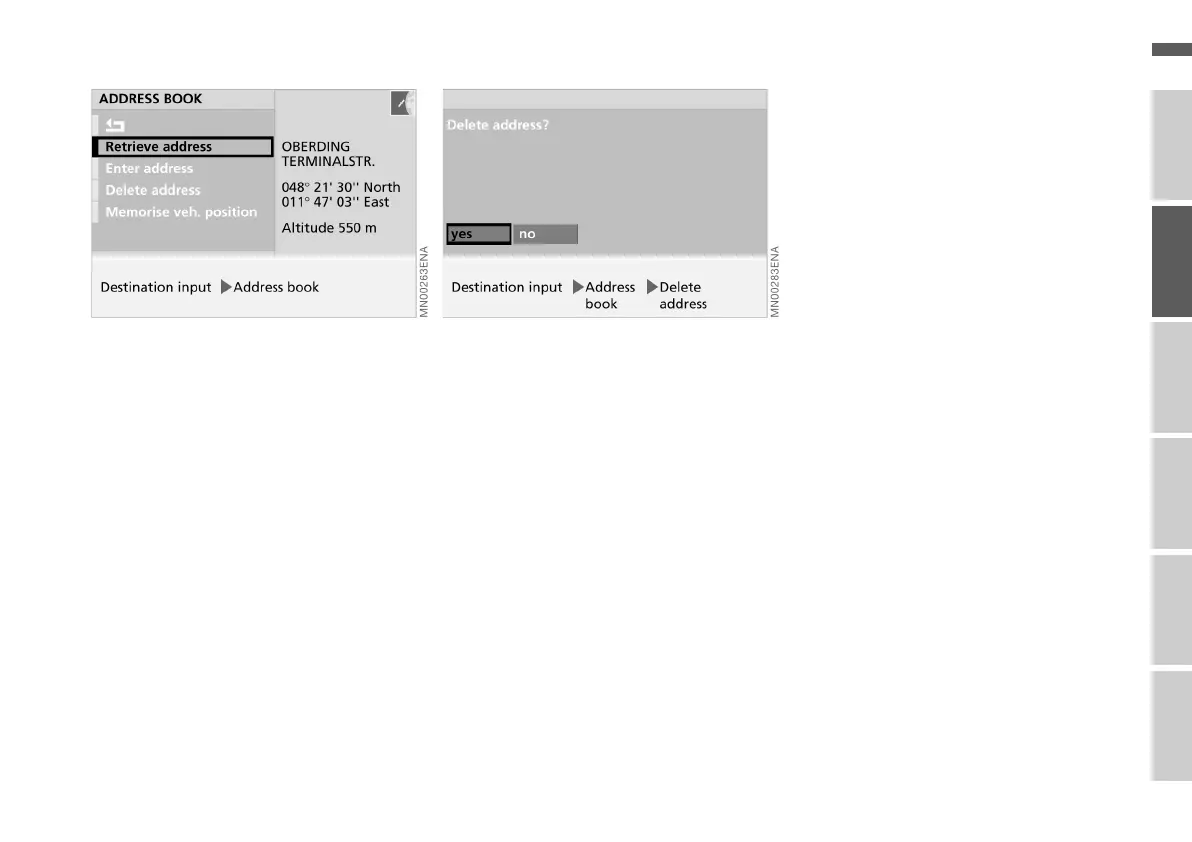
Retrieving an address Deleting an address
The destination addresses stored in the
address book can be called up directly.
1. Select "Address book"
2. Select "Retrieve address".
An alphabetically arranged list with
all addresses or destinations stored
is displayed
3. Select the desired address.
The address is transferred for desti-
nation guidance.
You can delete individual addresses or
all addresses from the address book.
1. Select "Address book"
2. Select "Delete address"
3. Select the desired address.
The query "Delete address?" ap-
pears
4. Select "yes".
The address is deleted.
To delete all addresses, highlight
"Delete address" with the right-hand
rotary control and hold it pressed in for
at least one second.
Online Edition for Part No. 01 41 0 156 676 - © 01/02 BMW AG



 To Next Page