57n
OverviewNavigation
Entertainment
TelephoneComputerKeywords
Traffic reports
3. Select the desired traffic report sta-
tion.
The name of the selected station is
displayed alongside "TP-PROG=".
If you have activated RDS-TMC
(Traffic Message Channel) in the
navigation system, see page 37, only
TP stations that also broadcast TMC
traffic information can be activated in
the background.<
To delete such a traffic report station:
1. Call up selection menu
2. Select "TP=(station name)" with the
right-hand rotary control.
A list of stations broadcasting traffic
reports is displayed
3. Select "Delete TP Stat".
"AUTO" is displayed in the box next
to "TP-PROG=".
If no other station from the list is
selected, the system uses the sta-
tion with the strongest reception signal
and displays it via "TP=(station
name)“.<
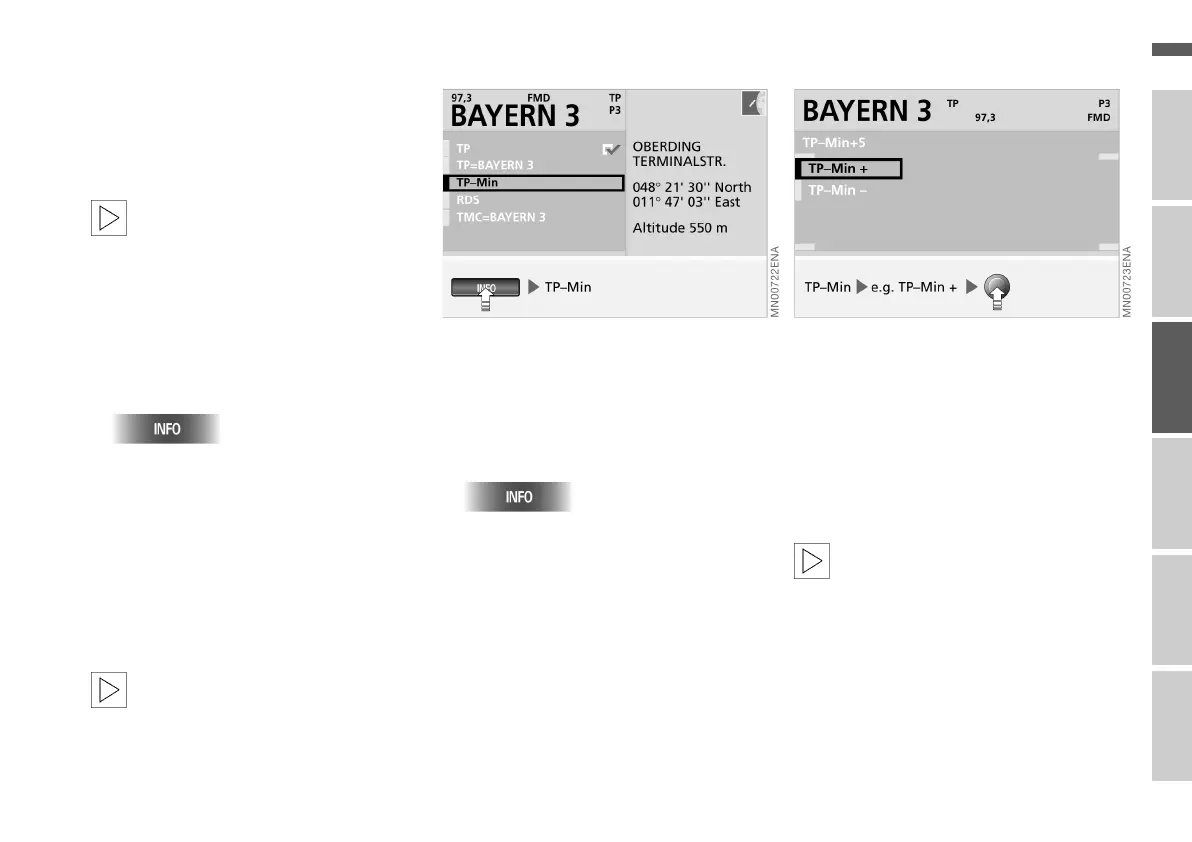
Adjusting minimum volume
A minimum volume for traffic reports
and direction announcements can be
adjusted with the "TP-Min" function.
1. Call up selection menu
2. Select "TP-Min" with the right-hand
rotary control.
A selection menu is displayed, see
also page 48
3. Select "TP-Min +“ or "TP-Min –"
4. Press the right-hand rotary control as
often as necessary until the desired
volume is obtained.
You can select a level between –9
and +9; level 0 represents a moder-
ate volume.
The minimum volume selected is
retained for all traffic reports and
direction announcements.<
For details of how to adjust the volume
of the audio source in relation to the
direction announcements, see
pages 19 and 40.
Online Edition for Part No. 01 41 0 156 676 - © 01/02 BMW AG



 To Next Page