chapter name, the document name will be shown), progressing page
number, Previous/Next chapter, page number, Automatic
Page-turns, Redo and Undo, etc.
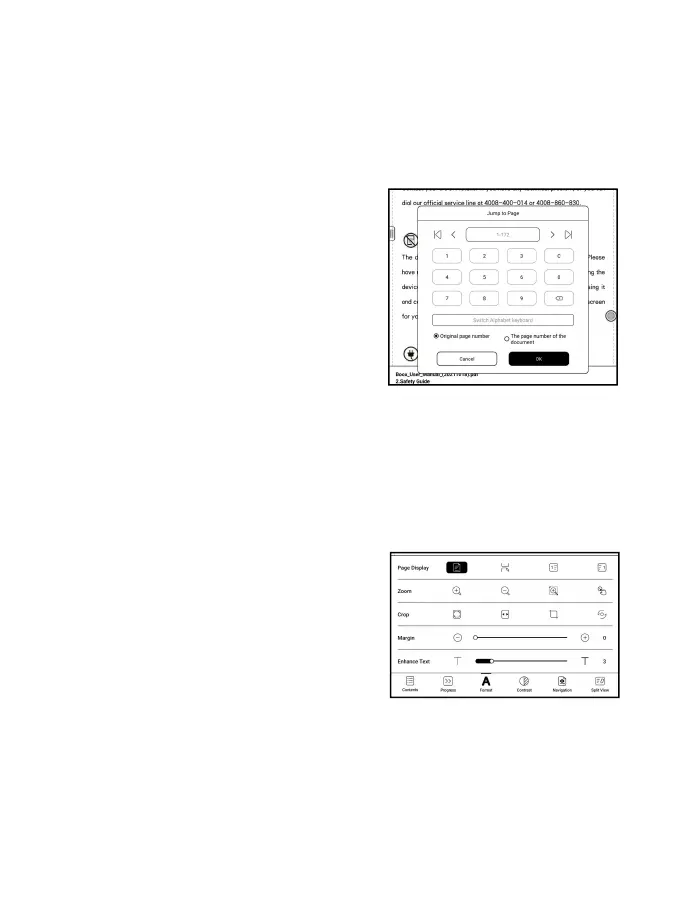
Tap the page number to pop out the
Jump-to-page dialog box. Enter the
page number that you want so as to
jump to the relevant page.
You can search the built-in page
numbers of PDF documents. (The custom page numbers)
Format
Page Display: switch between
single-page mode, dual-page mode 1,
and dual-page mode2. The dual-page
mode only supports a landscape
screen.
Zoom: You can zoom in/out the whole page, zoom in the marquee



 To Next Page