Please also check whether your computer’s setting is to reject
the request. (See Step2).
5.2 Screen Recording
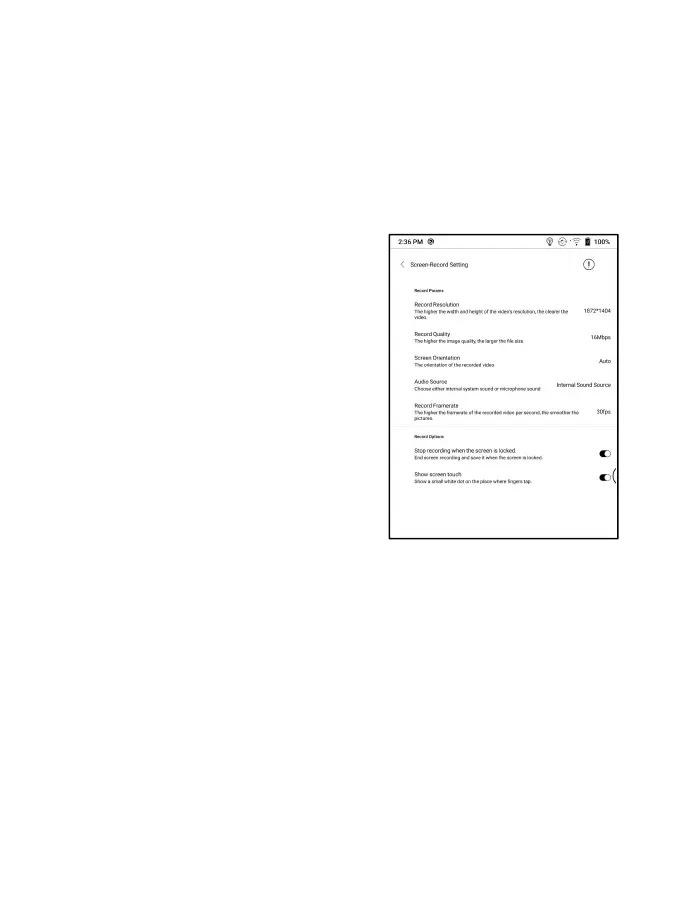
Long press Screen Recording icon to
go to screen recording settings.
You can customize Resolution,
Recording Quality, Screen
Orientation, Audio Source,
Recording Framerate, etc.
If you use Screen Recording for the
first time, you are recommended to adjust the relevant settings
first.
Tap Screen Recording icon to enter recording widget. Tap the
Start icon to start recording and tap the Close icon to stop
recording.



 To Next Page