Notice!
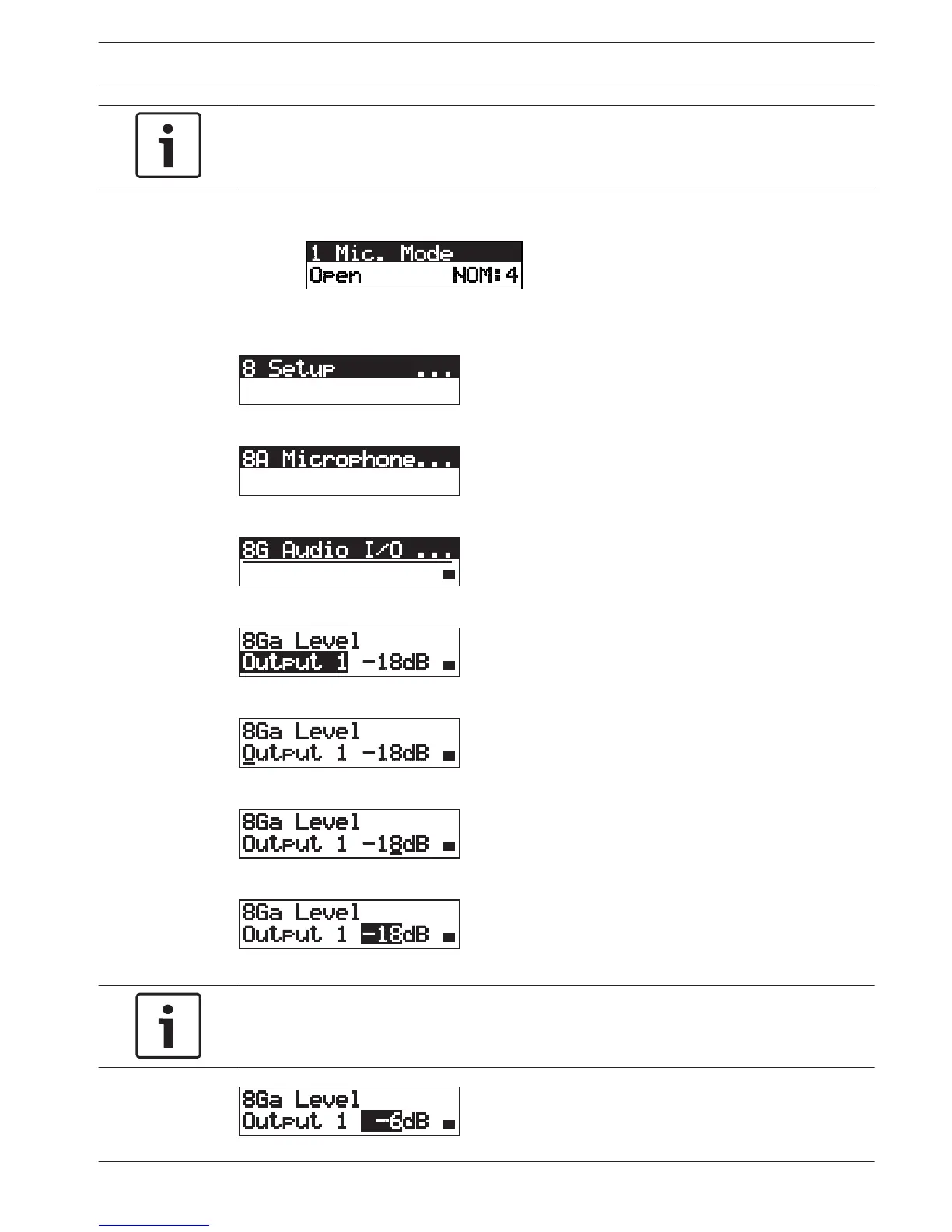
Make sure that when you do this example, you start from the main screen.
1. Push the knob to open the main menu.
2. Turn the knob clockwise until 8 Setup... is reached.
3. Push-and-hold the knob for 3 seconds to open the sub-menu.
4. Turn the knob clockwise until 8G Audio I/O... is reached.
5. Push the knob to go to the sub-menu.
6. Push the knob to open the sub-menu item.
7. Turn the knob to move the cursor to the value that is shown.
8. On the value, push the knob.
9. Turn the knob to change the value.
Notice!
In this example, the knob is turned counterclockwise to decrease the value from 0 dB to -6
dB. Turn the knob clockwise to increase the value.
Conference System Configuration | en 181
Bosch Security Systems B.V. Operation Manual 2013.11 | V2.0 | DCN-NG_OM_V4.x















 To Next Page