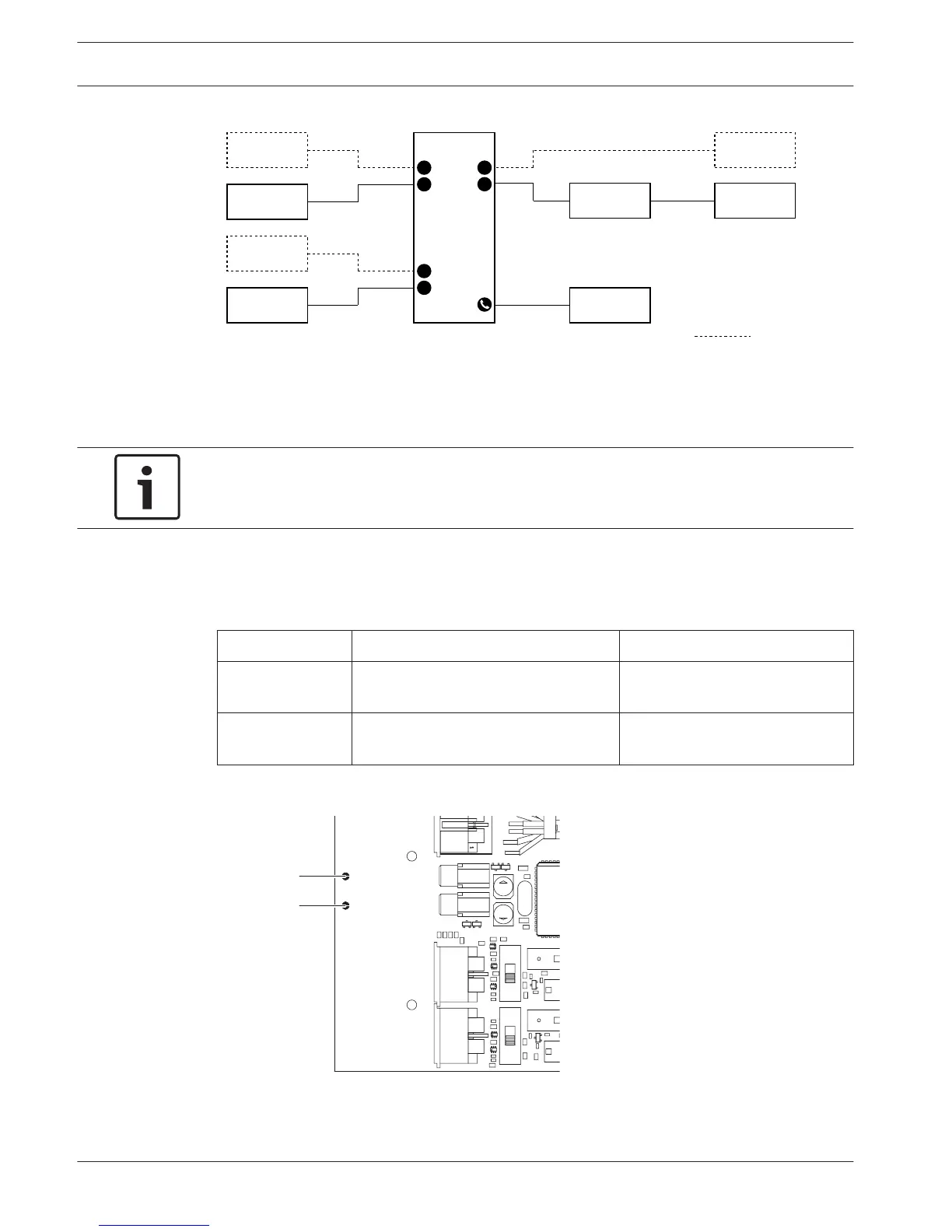
Figure 7.21: Single delegate mode (4)
You can connect an optional DCN-FMICB Microphone Control Panel. The delegate can use the
microphone control panel as an auxiliary button. For example, to activate an indicator.
Notice!
The delegate can push the auxiliary button to start an event. Use the Open Interface to
program the event (refer to the applicable Software User Manual).
Loudspeakers always active
By default the loudspeaker is muted when the corresponding microphone is active. This
prevents unnecessary feedback in the system. However, to deactivate muting, connect the
solder spots for the relevant loudspeaker.
Solder spot Open Soldered
(X13) Left loudspeaker muted when
microphone active
Left loudspeaker always active
(X12) Right loudspeaker muted when
microphone active
Right loudspeaker always active
Table 7.33: Solder spots
Figure 7.22: Internal top view
216 en | Configuration Conference System
2013.11 | V2.0 | DCN-NG_OM_V4.x Operation Manual Bosch Security Systems B.V.












 To Next Page