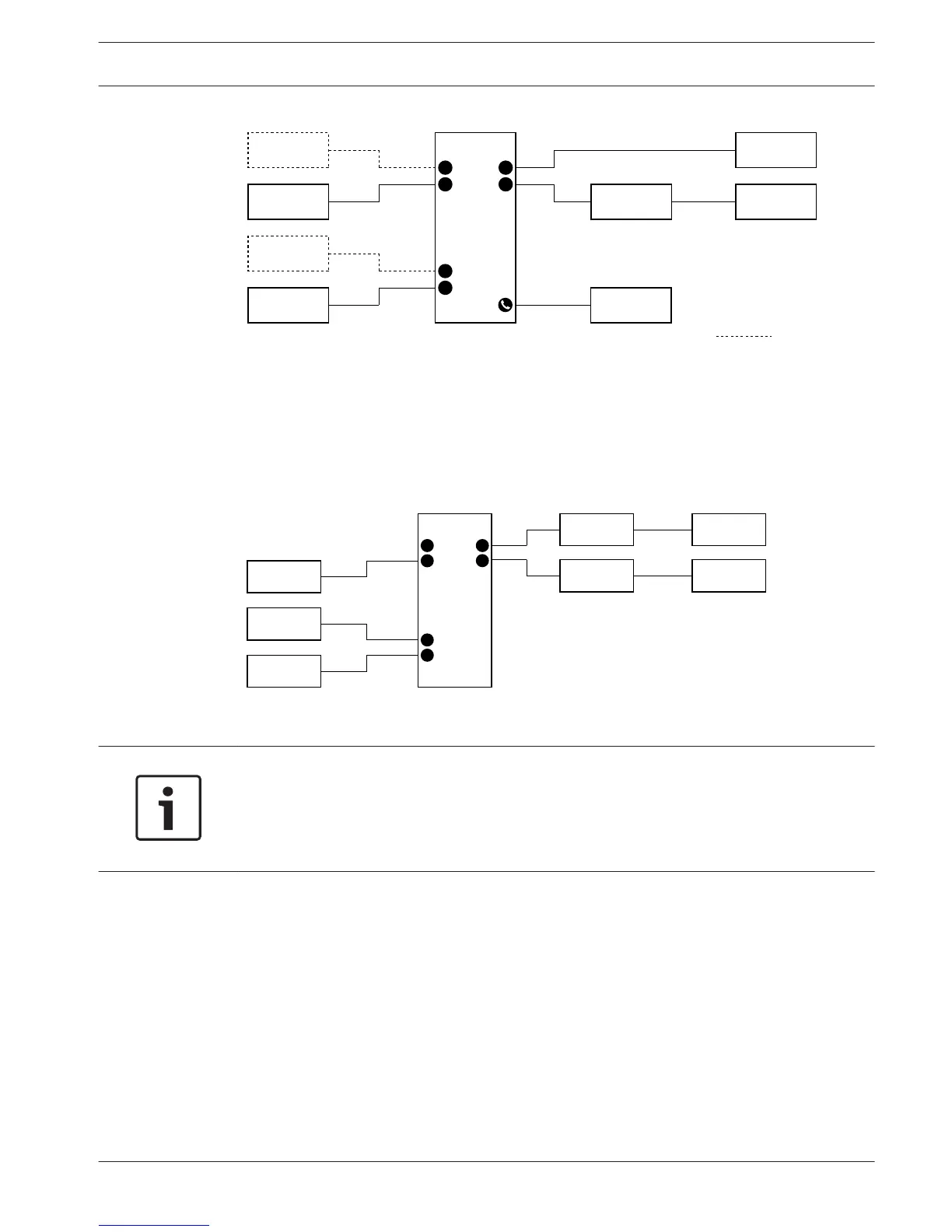
Figure 7.19: Chairman mode (1)
Dual delegate, one microphone
When the dual delegate interface is in the dual delegate with one microphone mode, it acts as
a delegate device for 2 delegates, who share 1 audio input. The two delegates can enable or
disable the audio input with their own microphone buttons. Refer to the figure for a typical
example.
Figure 7.20: Dual delegate mode, one microphone mode (2)
Notice!
You must close the solder spot of the DCN-FMIC (refer to DCN-FMIC Microphone Connection
Panel, page 218) when:
You connect a DCN-FMIC to the dual delegate interface and
The dual delegate interface is in the dual delegate with one microphone mode.
Dual delegate with both loudspeakers muted
This mode is the same as the dual delegate mode, but both loudspeakers are muted when one
of the microphones is active. This prevents unnecessary feedback in the system.
Single delegate
When the dual delegate interface is in the single delegate mode, it acts as a delegate device
for 1 delegate. Refer to the figure for a typical example.
Conference System Configuration | en 215
Bosch Security Systems B.V. Operation Manual 2013.11 | V2.0 | DCN-NG_OM_V4.x












 To Next Page