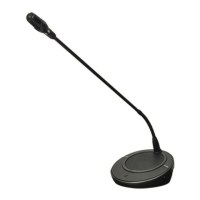
DCN-FMIC Microphone Connection Panel
Use the solder spot to enable or disable the green LED ring of the connected DCN-MICL or
DCN-MICS Pluggable Microphone (refer also to DCN-MICL, DCN-MICS Pluggable Microphones,
page 248).
Solder spot Description
Not soldered* The green LED ring of the connected DCN-MICL or DCN-MICS
Pluggable Microphone is enabled.
Soldered The green LED ring of the connected DCN-MICL or DCN-MICS
Pluggable Microphone is disabled.
Table 7.34: Solder spot (* = default)
When the microphone connection panel is connected to a dual delegate interface that is in the
dual delegate with one microphone mode, you must disable the green LED ring. If you do not
disable the LED ring, the LED ring of the connected microphone cannot show the correct
condition. For example, first delegate 1 enables the microphone (red) and then delegate 2
makes a request-to-speak (green). Although the microphone is enabled, the green LED ring
comes on when delegate 2 pushes the microphone button.
7.13
218 en | Configuration Conference System
2013.11 | V2.0 | DCN-NG_OM_V4.x Operation Manual Bosch Security Systems B.V.












 To Next Page