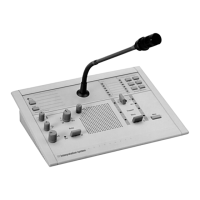
DCN-IDESK Interpreter Desks
Before the start of a discussion or a conference, the interpreter and system parameters of the
interpreter desk can be put manually in the installation mode of the desk.
Overview
The installation mode of the desk consists of a number of menus in which options have to be
chosen. Some menus are applicable only to the desk that is being configured, whereas other
menus apply to all interpreter desks in the system.
Menu Description Scope
a User language System
b Interpreter booth number Desk
c Desk number Desk
d Number of channels System
e Language list System
f Language channels System
g Outgoing channel A Desk
h Outgoing channel B Desk
j Number of auto-relay booths System
k Auto-relay booths System
l Microphone locks System
m Speak slowly signaling System
n Help signaling System
o Speech timer Desk
p Microphone source Desk
Table 7.39: Installation mode menus
Notice!
In PC based systems only menus a, b, c, o and p have to be configured manually on each
desk. All other menus can be configured from the PC if software package DCN-SWSI is used.
Notice!
PC based systems using the Simultaneous Interpretation software module have extended
control and preset facilities as compared to a stand-alone interpretation system.
Notice!
A description of the Simultaneous Interpretation software manual is beyond the scope of this
manual. Refer for detailed information about this software to its own manual.
Start the installation mode
1. Make sure the interpreter desk has an address (refer to Initialization, page 178).
7.15
Conference System Configuration | en 221
Bosch Security Systems B.V. Operation Manual 2013.11 | V2.0 | DCN-NG_OM_V4.x












 To Next Page