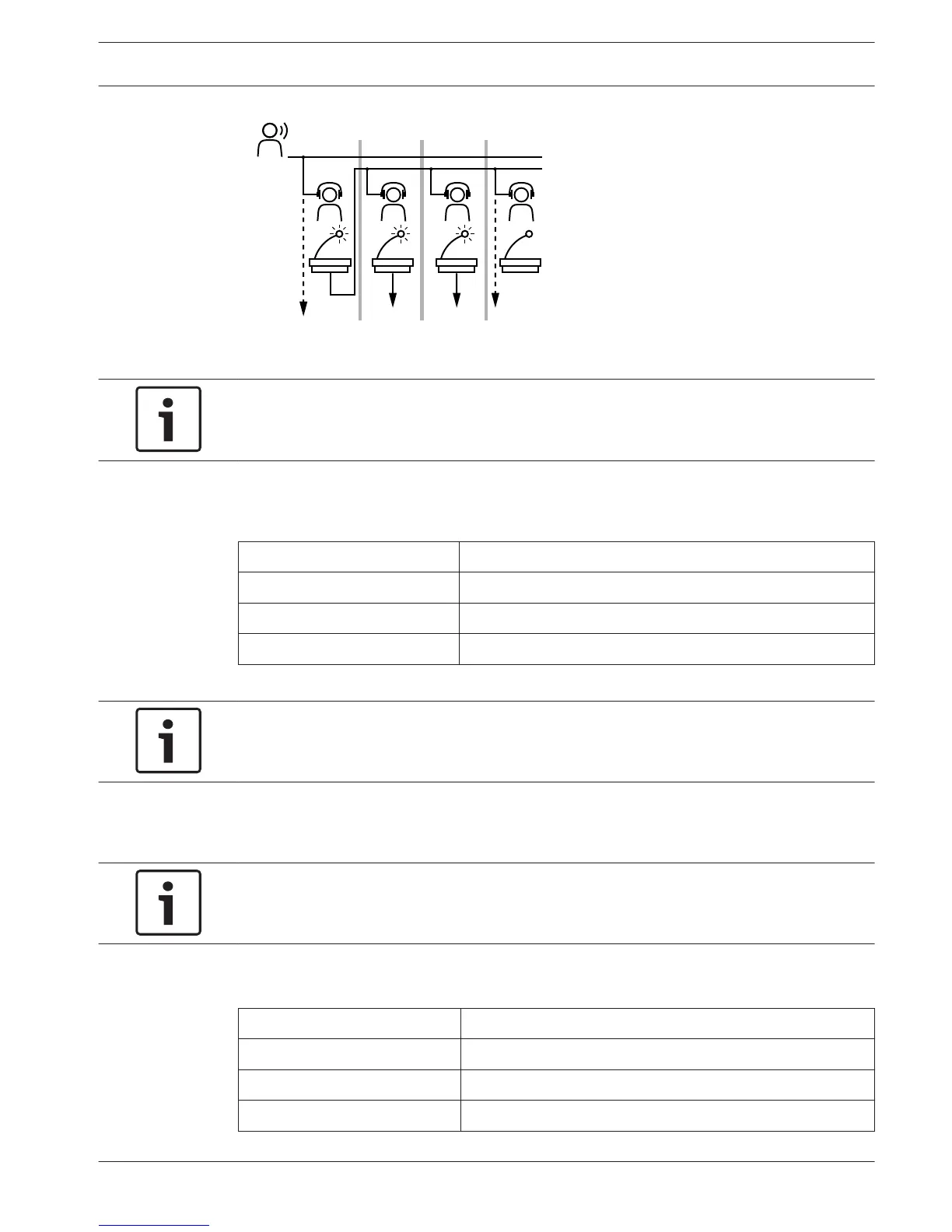
Figure 8.4: Auto-relay interpretation
Notice!
In the installation mode of the interpreter desk, output B can be assigned with an auto-relay
function.
Microphone button LED
The colors of the LED around the microphone button shows the condition of the microphone
that is connected to the interpreter desk.
Color Condition
Red (on) Microphone enabled
Red (flash) Engaged warning
Green (on) Interpreter booth off
Table 8.29: Condition
Notice!
Refer to the Quick Reference Card of the interpreter desk for instructions that tell you how to
operate the interpreter desk.
Beeps
The interpreter desk can generate beeps for notification of special events to support blind
interpreters on the headphones.
Notice!
The volume level of the beeps depends on the position of the volume control of the
headphones.
The audio beeps can be toggled on and off with the beeps button (refer to DCN-IDESK
Interpreter Desks, page 50). When beeps are enabled, a musical note appears in the display.
Tone Event
Beep on Beeps are enabled.
Beep off Beeps are disabled.
Microphone on Microphone is switched on.
Conference System Operation | en 253
Bosch Security Systems B.V. Operation Manual 2013.11 | V2.0 | DCN-NG_OM_V4.x















 To Next Page