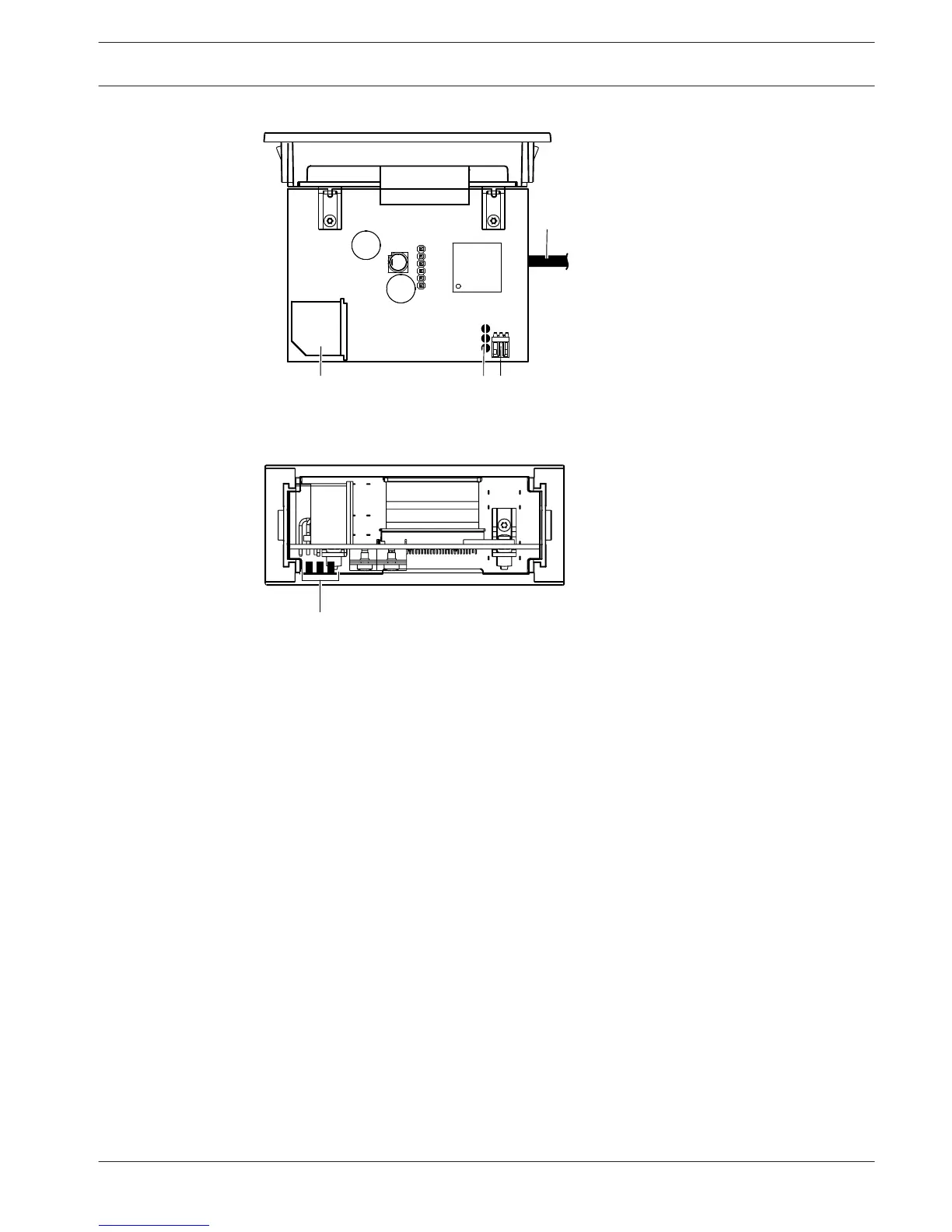
Figure 3.42: Rear view
1. Headphones socket - Headphone connection.
2. Volume buttons - Controls the volume level of the selected channel.
3. Display - Shows the number of the selected channel.
4. Channel buttons - Channel selector.
5. External headphones (plug) - Connects an external headphones socket to the channel
selector.
6. DCN cable - Connects the channel selector to the DCN system.
7. DCN socket - Makes a loop-through in the DCN system with the channel selector.
8. Level reduction plug - Reduces the headphone signal level when the microphone of a
connected device is enabled.
9. Solder spots
10. External headphones (solder pads) - Connect an external headphones socket to the
channel selector.
The following sections give more information about the mentioned subject:
– Installation: DCN-Flush mounted products, page 103.
– Connection: DCN-FCS Channel Selector, page 138.
– Configuration: DCN-FCS Channel Selector, page 219.
– Technical Data: DCN-FCS Channel Selector, page 284.
Conference System
System Overview | en 45
Bosch Security Systems B.V. Operation Manual 2013.11 | V2.0 | DCN-NG_OM_V4.x















 To Next Page