Satellite System
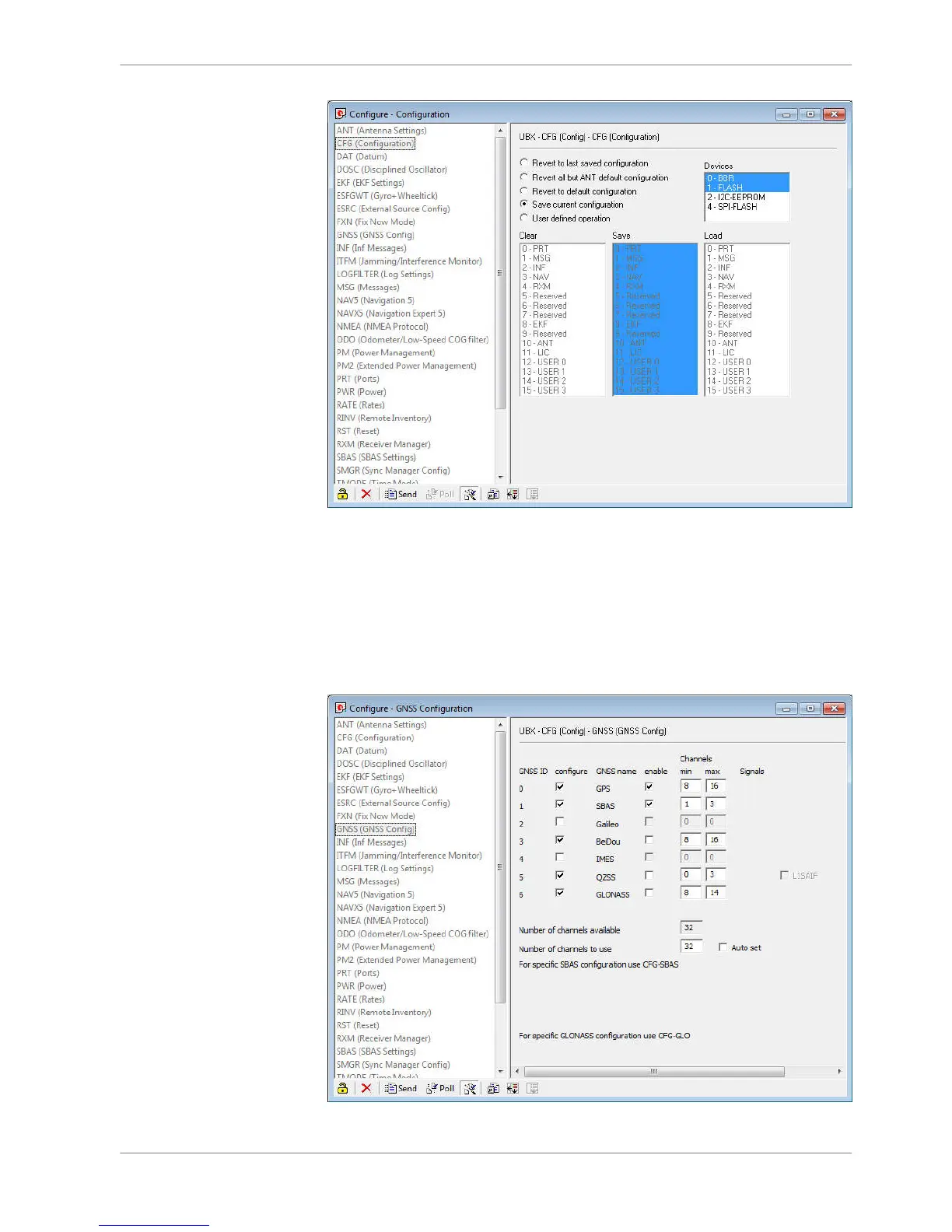
▪ Click on “GNSS (GNSS Config)”.
▪ Set the ticks as shown in the following picture.
▪ Click on “Send” to store the new setting in “U‐Center”.
▪ As during configuration step 1, click on “CFG (Configuration)”.
▪ Click on “Send” to save the new setting on the sensor.
GPS Sensor | 15
Bosch Motorsport DDU S2 PLUS Manual 127 / 136














 To Next Page