Other display elements
Two types of other display elements are available:
▪ Label: A label displaying a specified text
▪ Picture element: An element displaying a static picture (e.g. temperature
warning)
Adding a Label or picture display element to display page
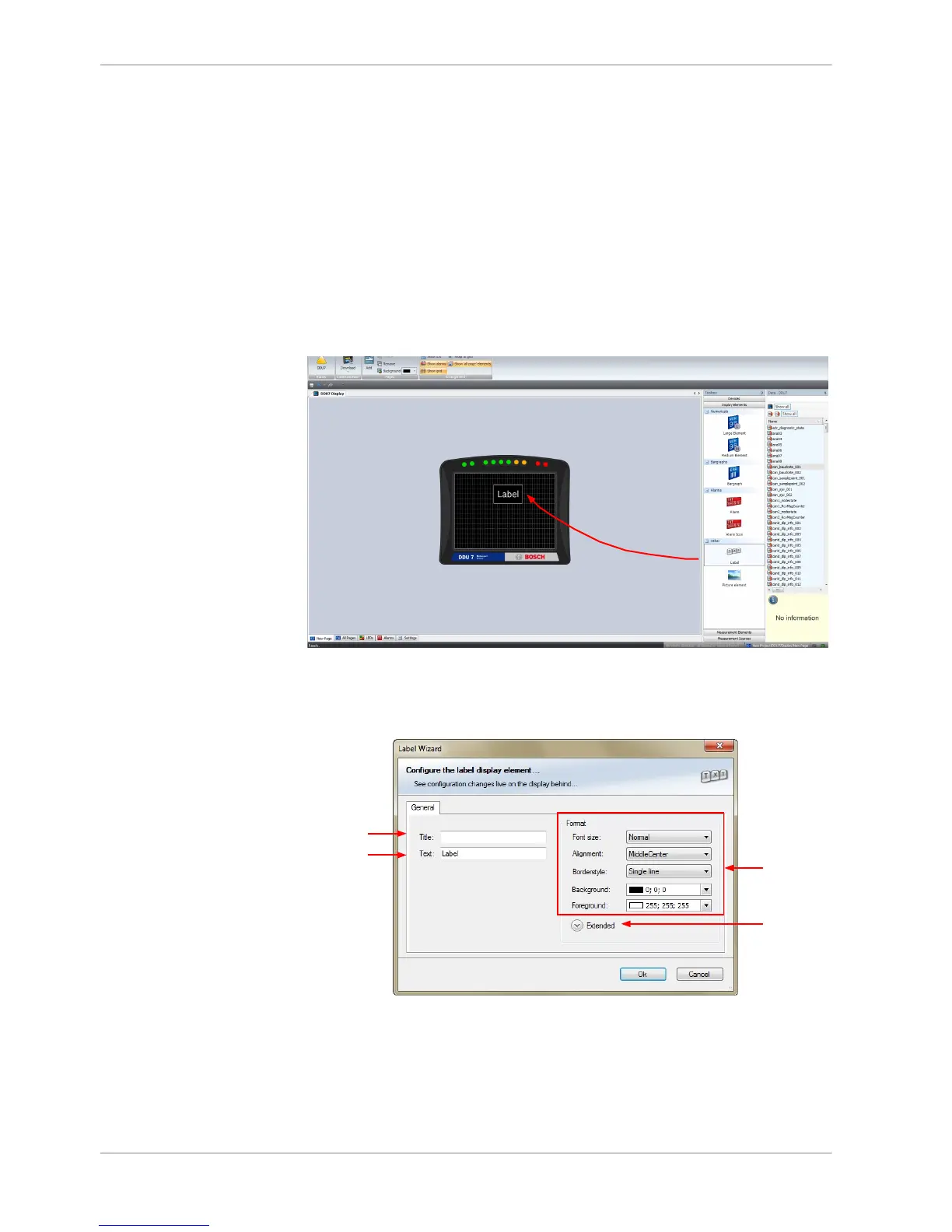
Drag the Label or picture display element from the Toolbox and drop it on the
display page.
Configuring a Label display element
1. Double‐click on the Label display element. The Label Wizard window opens.
a)
b)
c)
d)
a) Enter the title displayed on top of the Label display element.
b) Enter the text displayed in the middle of the Label display element.
c) Choose the font size, alignment, borderstyle, background and foreground color of the Label
display element.
d) Click the Extended button to show further options to change the color of the title, border and
text individually.
2. Click ‘OK’ when done.
8.2.4
8 | Display Configuration
30 / 136 DDU S2 PLUS Manual Bosch Motorsport














 To Next Page