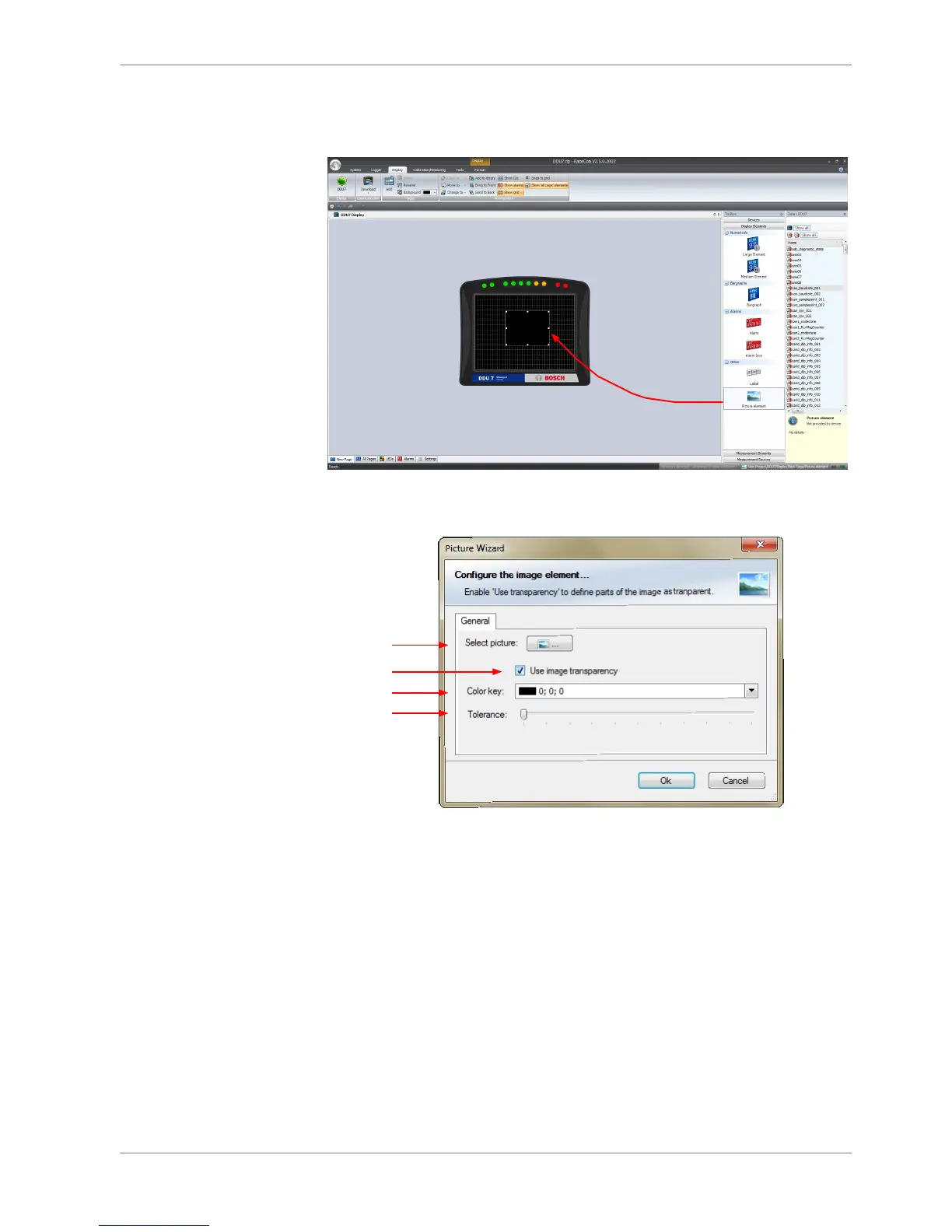
Configuring a Picture display element
Supported image file formats are: bmp, jpg, gif, png, tif
1. Double‐click on the Picture display element. The Picture Wizard window
opens.
a)
b)
c)
d)
a) Select the image from the hard drive.
b) Enable the checkbox if you want to define parts of the image as transparent.
c) Select the basic transparent color key. This means that any pixel of the image near (depending of
the Tolerance value) to this color gets transparent.
d) Select a tolerance in percent to define parts of the image as transparent.
2. Click ‘OK’ when done.
Conditional formatting
This function pigments the displayed values in dependence of a specified meas‐
urement channel value.
Example: The text color changes from white to red when the battery voltage is
fewer than 12 V.
Conditional formatting is available at numeric, ‘Bargraph’ and ‘Alarm’ display ele‐
ment.
8.2.5
Display Configuration | 8
Bosch Motorsport DDU S2 PLUS Manual 31 / 136














 To Next Page