M1 – M3 Display Units
Page 50
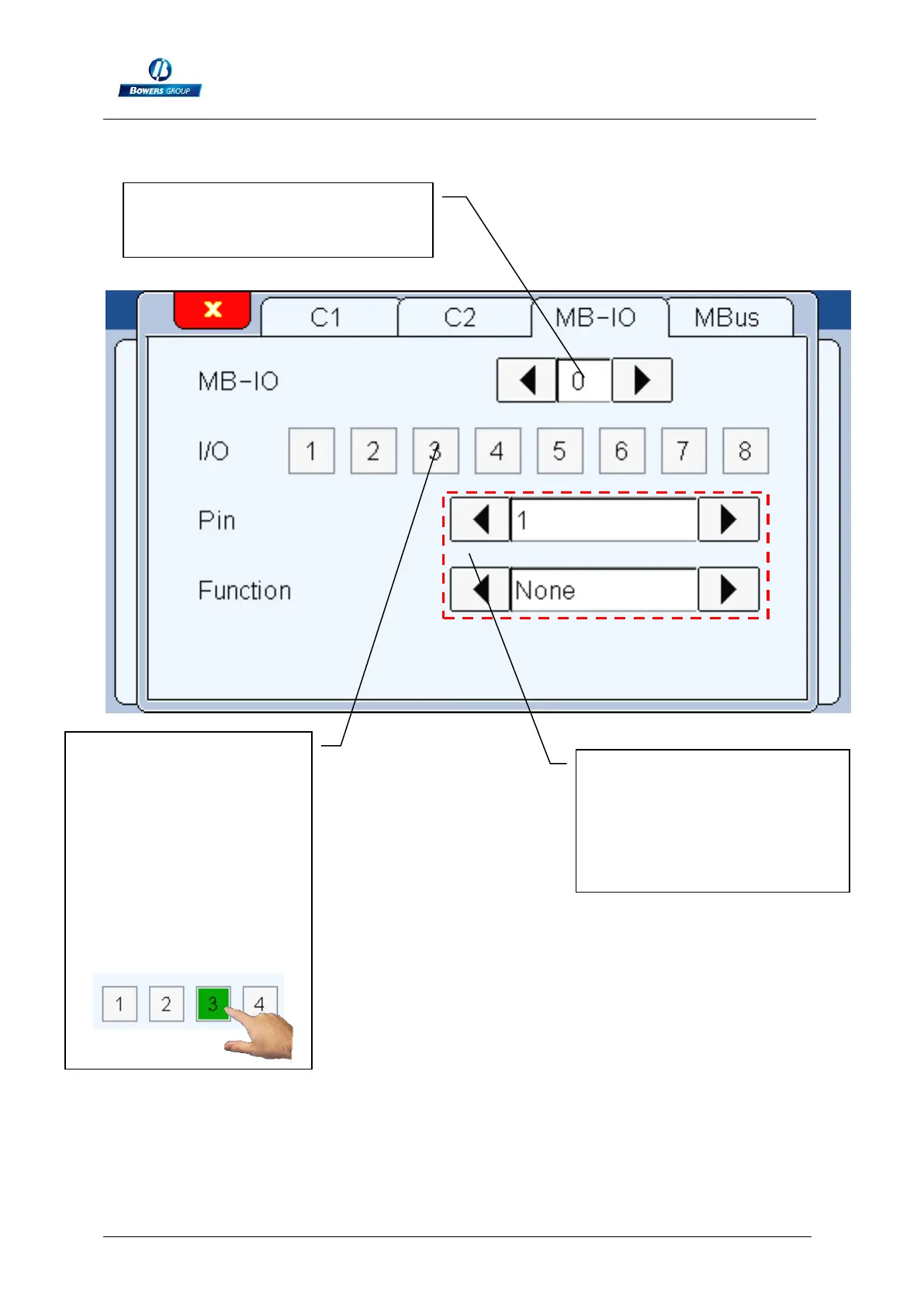
The different functions available for the MB-IO are listed below:
Transfer : (Input) Transfer the measure to the computer (need a USB or
RS232 link)
Preset : (Input) set the current measured value to the master value
The number of the MB-IO is
written here and can be changed
if more than one is connected
These buttons are used to
output a 24VDC signal on
specific port of the MB-IO
to check the installation.
At the opposite, if you
input a 24VDC on a
terminal, the
corresponding button
becomes green.
The function of each port of
the MB-IO can be set with this
2 menus. The first one is for
the number of the Pin, the
second one defines the
associated function



 To Next Page