BBP
®
85 Label Printer
User’s Manual
B-7
Using the Input Method Editor (IME)
Chinese Traditional
Chinese Traditional
Note: The composition window displays the current language of your system (e.g.,
If your printer is setup for Korean, the window displays Korean).
To use IME:
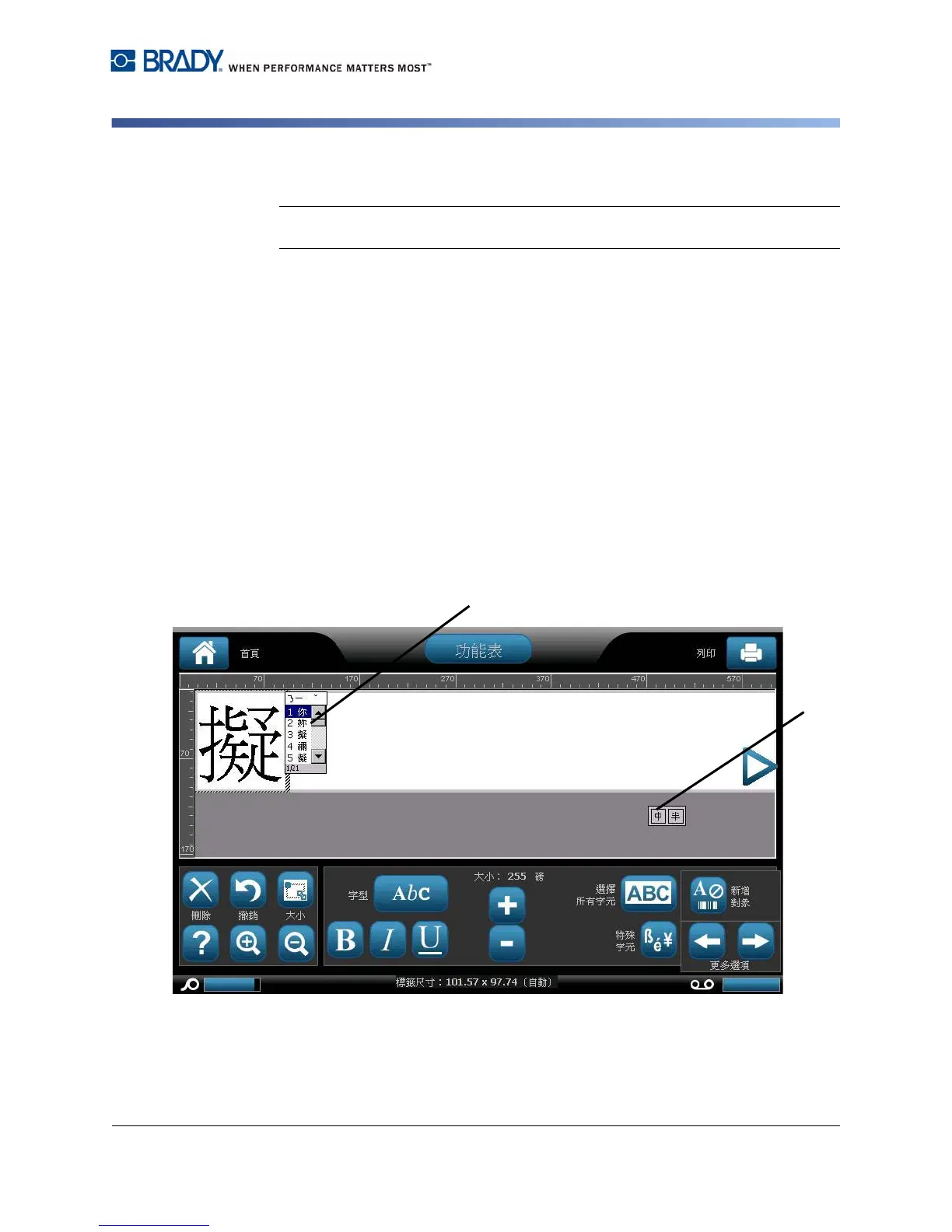
1. On the printer keyboard, type Ctrl-Spacebar. The IME composition window
opens [1].
2. Press the symbol on the left of the IME control panel [1] to change the
language option from English to Chinese Traditional.
3. In the editor, type the words or keystroke(s) that you want converted. If the
keystroke combination forms a character, it will display in the candidate list [2].
4. To choose an option from the candidate list, enter the number of the
candidate. The character is immediately added to the text box and the
candidate dialog closes.
- or -
Press the L arrow to select the correct candidate, then press Enter.
5. Repeat Steps 2 and 3 until all of your text is entered.



 To Next Page