B-8 BBP
®
85 Label Printer
User’s Manual
Using the Input Method Editor (IME)
Japanese
Japanese
To use IME:
The Language option menu displays automatically when the printer is on.
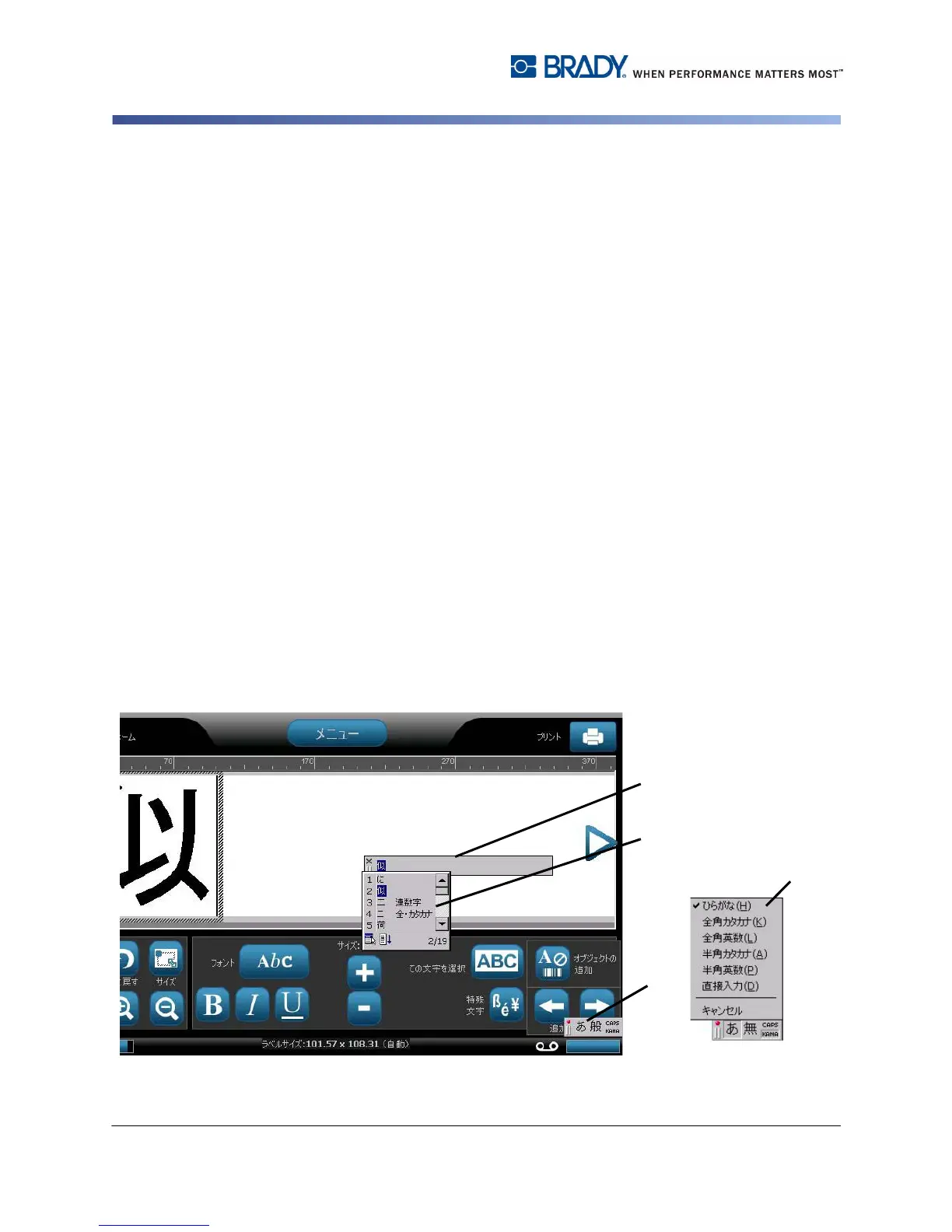
1. On the printer keyboard, type Ctrl-Spacebar. The IME composition window
opens [1].
2. Press the first symbol in the IME control panel [1a] to display the language
option menu [1b], then select a language:
• Hiragana
• Katakana (full-width)
• Alpha-numeric (full-width)
• Katakana (half-width)
• Alpha-numeric (half-width)
• Direct Input (turns off the IME and keystrokes are not converted).
3. Type the words or keystroke(s) that you want converted. If the keystroke
combination forms a character, it will display in the composition window [2].
Otherwise, the English character(s) will display.
4. Press Enter to insert the character in the text field and close the composition
window [3a].
- or -
Choose an option from the candidate list [3b]:
a. Press Spacebar twice to display optional words or phrases.
b. Choose the candidate you want, then press Enter.
5. Repeat Steps 2 and 3 until all of your text is entered.



 To Next Page