English
22
2. Setting Up Your Printer
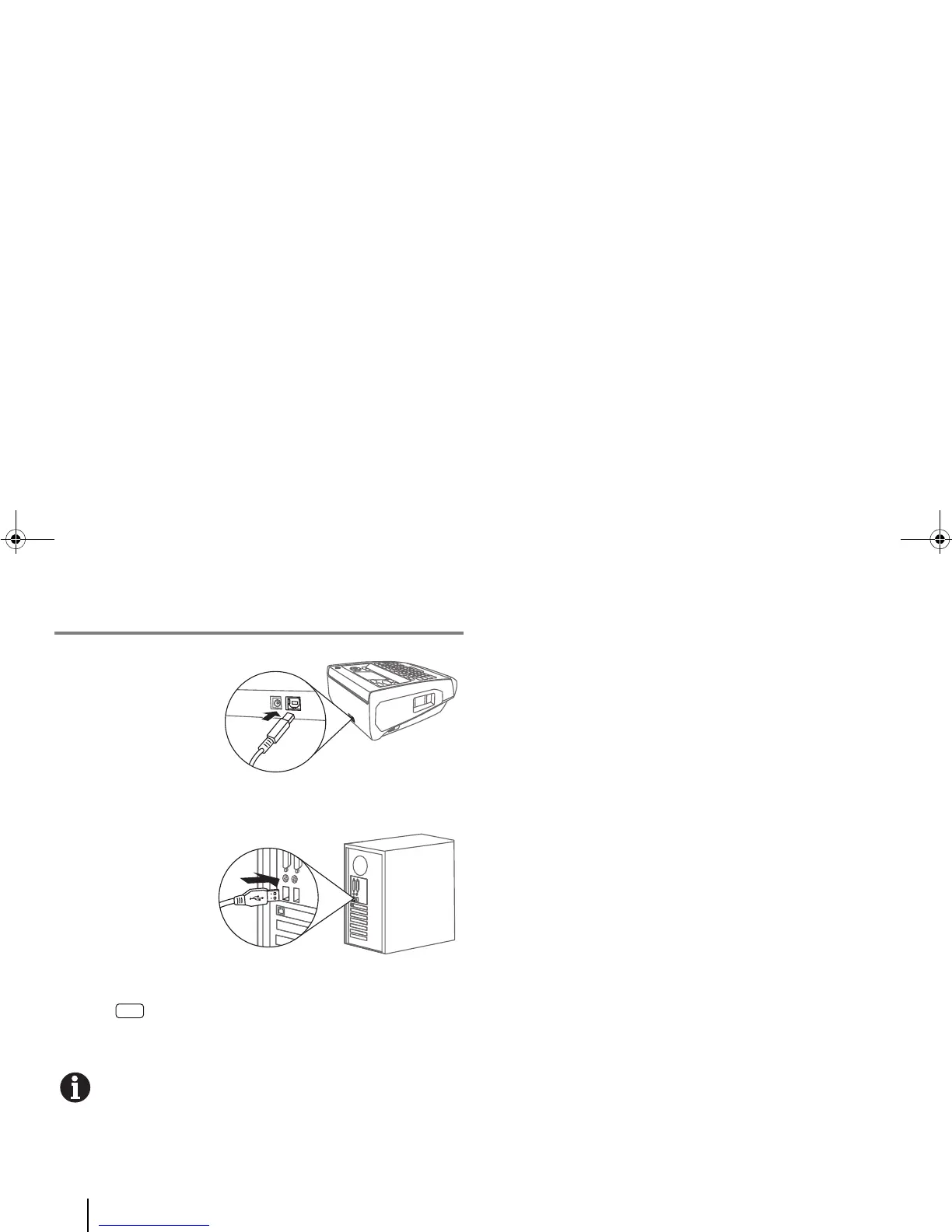
E. Using the printer with a Computer
1. Insert the smaller,
squarish end of the
USB cable into the
printer’s socket as
shown here.
2. Plug the other end
(with a rectangular
connector) of the
USB cable into a
USB port on a
personal computer
(PC).
3. Enter [Menu] > System > “PC Connection”.
For more detailed instructions, see the “PC Connection”
section in “5. Advanced Functions”.
To use the printer with a USB flash drive, see the “Flash
Drive Connection” section in “5. Advanced Functions”.



 To Next Page