85
7. Troubleshooting
go through smoothly.
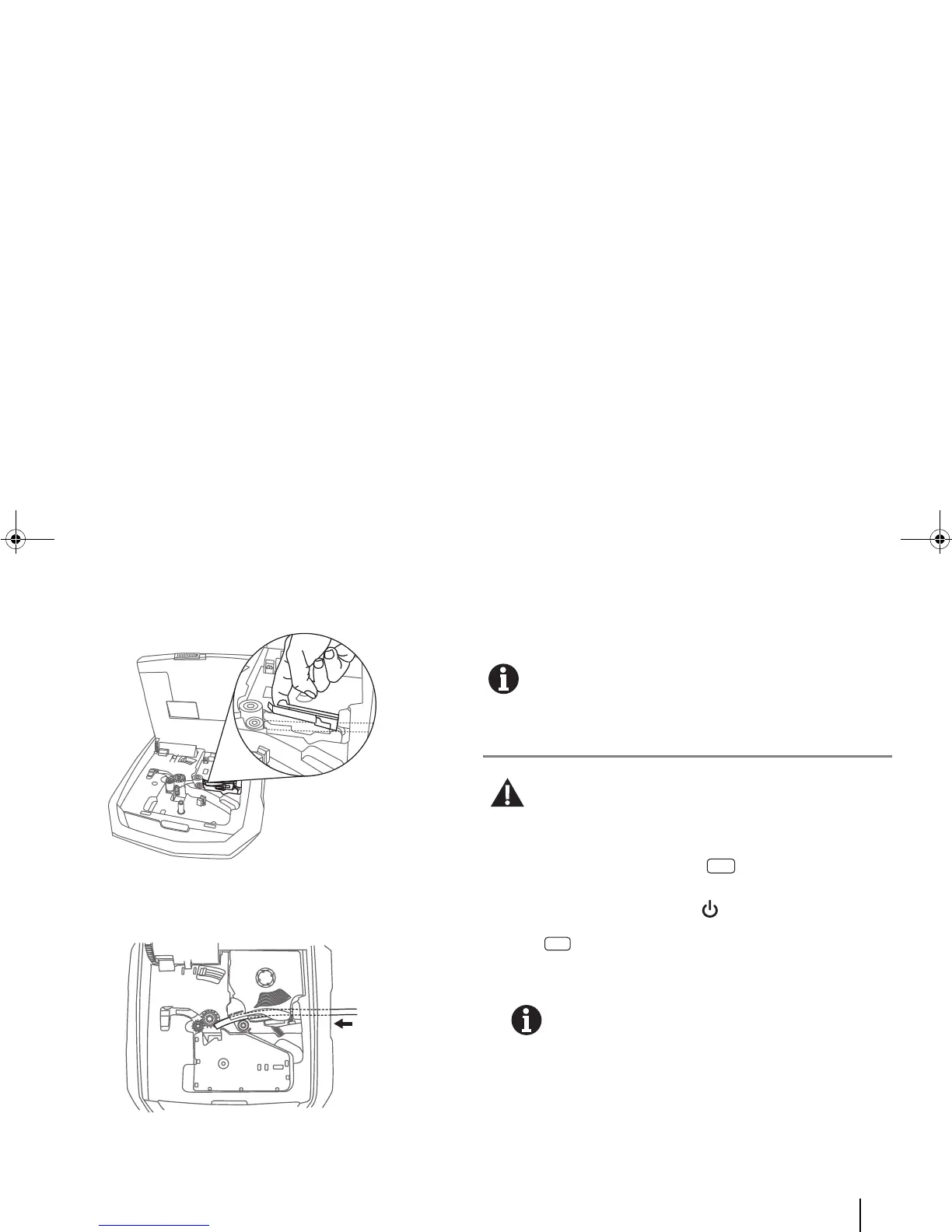
4. Continue inserting the tube into the printer, ensuring that the
inserted tube reaches the platen roller.
5. Close the cover and you can continue with the editing or
printing.
Be careful not to scratch the printhead.
C. If the loaded tube/label cannot be removed...
Do NOT pull the tube/label to remove it.
If a jam happens, refer to the next section “D. If the
tube/label is jammed...”
1. If the printer is operating, press [Cancel Print] to cancel
the print job.
If printer is not powered, press [Power] to switch it on.
2. Press [Remove].
Alternatively, feed forward the tube/label by entering [Menu]
> Feed > “Forward”.
Use the Forward function only when the tube/label is
not ejected or fed properly. Feeding the medium
continuously can damage the tube/label or wind the
ribbon around other parts, causing a jam.
3. Remove the tube/label.



 To Next Page