English
8
1. Before You Begin
Environmental Specifications:
Be mindful, when using the AC adapter with the printer,
that the adapter can withstand only a maximum
temperature of 25°C (77°F).
Do not expose the battery pack to water or rain, or allow it to get
wet.
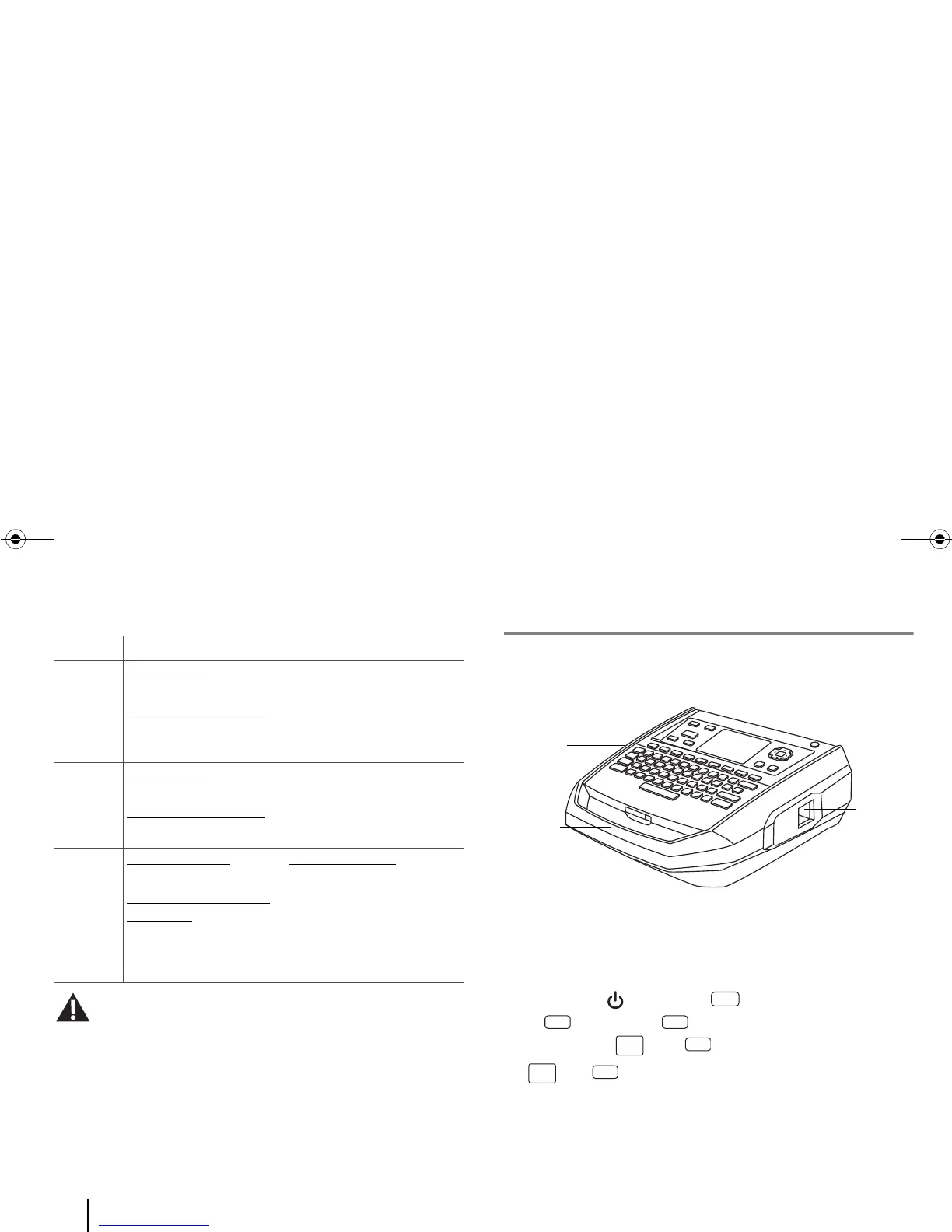
G. External components of the printer
The external components of the BMP
®
91 printer include:
• a sturdy handle (see below) for secure handling of the device;
• two Media Inlets and one Media Outlet (details on page 16);
• a QWERTY keyboard (details on page 10);
• many types of keys (details on pages 9-11) for fast and easy
access to important and commonly used functions. E.g. Special
keys
such as [Power] and [Menu]; Quick keys such
as [Media] and [File]; and Function keys such as
“Application” ( [Fn]+ [Media]) and “Tag”
( [Fn]+ [File]); and
• Lots of useful information on the LCD screen, such as the status
of the medium used, the power supply, and the tag editor
settings (details on pages 12-14).
Operating Environment Storage Environment
Printer Temperature
: 15–35°C
(59–95°F)
Relative Humidity (RH)
:
20–85% non-condensing
-30–60°C (-22–140°F)
Up to 90% non-condensing
at 60°C (140°F)
AC
Adapter
Temperature
: 0–25°C
(32–77°F)
Relative Humidity (RH)
:
-20–85°C (-4–185°F)
5–90%
Battery
Pack
Battery charging
:
0– 45°C (32–113°F)
Battery discharging or
during use: 0–49°C
(32–120°F)
A cool, dry place
where the
temperature does not
exceed 49°C (120 °F). E.g.,
NOT in direct sunlight, a
vehicle or a metal building
during summer.



 To Next Page