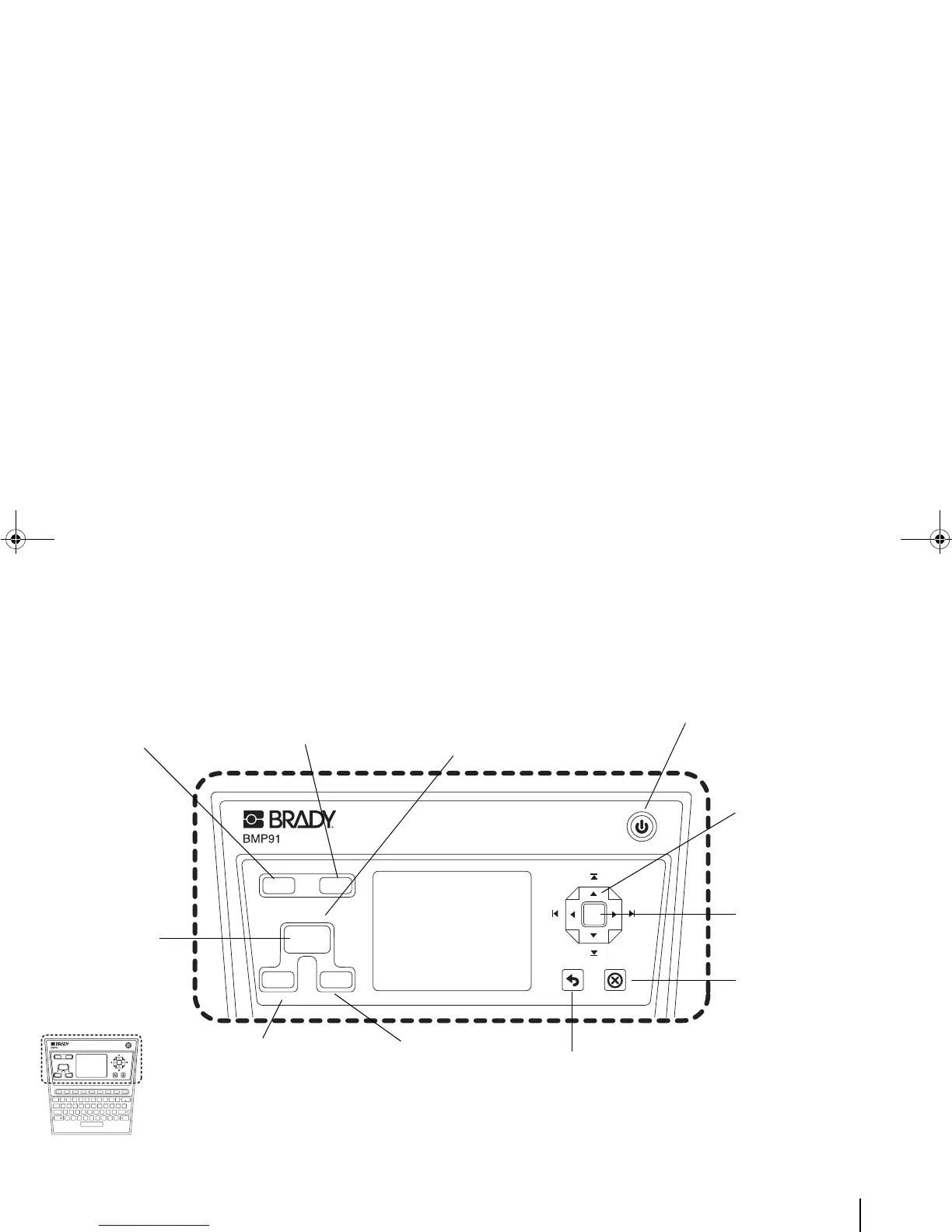
<Menu> key:
Access all the
printer functions
via a multi-level
menu.
<Clear All> key: Clear all
the text and settings for
the current editing job.
<OK> key:
Confirm a selected
item/action in a
menu or a
message window.
<Power> key: Power on or off the
printer.
<PRINT> key:
Print the
current editing
job according
to the current
settings.
Multiprint (<Fn> + <PRINT> keys):
Display the Advanced Print menu
where you can select a range of tags
and multiple copies for the current
editing job.
Navigation pad:
Move up [^],
down [v], left [<]
or right [>].
<Cancel Print> key:
Immediately stop a
current printing job.
<Menu Return> key:
Go back to a previous
level menu.
Preview or Preview All
(<Fn> + <Preview> keys):
View the printed tag with
all formatted effects on
the LCD.
<Close> key:
Directly return to
the Editor,
regardless of the
number of menu
levels entered.



 To Next Page