23
3. Printing on Selected Media
3. Printing on Selected Media
A. Introduction . . . . . . . . . . . . . . . . . . . . . . . . . . . . page 23
B. Printing with a Tube Roll . . . . . . . . . . . . . . . . . . . . page 23
C. Printing with a Heat-Shrink Roll . . . . . . . . . . . . . . . page 26
D. Printing with a Heat-shrink Cartridge . . . . . . . . . . . page 28
E. Printing with a Label Cartridge . . . . . . . . . . . . . . .page 30
F. Changing the Media Type and Its Application . . . . . page 32
G. Previewing before printing . . . . . . . . . . . . . . . . . .page 34
H. Canceling Printing . . . . . . . . . . . . . . . . . . . . . . .page 35
A. Introduction
The BMP
®
91 printer supports printing on four main types of
media: tube rolls, heat-shrink tube rolls, heat-shrink tube
cartridges and label cartridges. The tubes in rolls are fed into the
printer from the outside (externally) while the tubes/labels in
cartridges are loaded from within the printer (internally).
When powered up for the first time, a brand new BMP
®
91 p rinter
will prompt you to select: 1) Media Type, and 2) Application.
After this, the default settings of new editing jobs will be based
on these settings. On subsequent power-ons, however, the settings
of new editing jobs will be based on the last settings before
power-off.
For a new printer, the default media type is “Tube”.
B. Printing with a Tube Roll
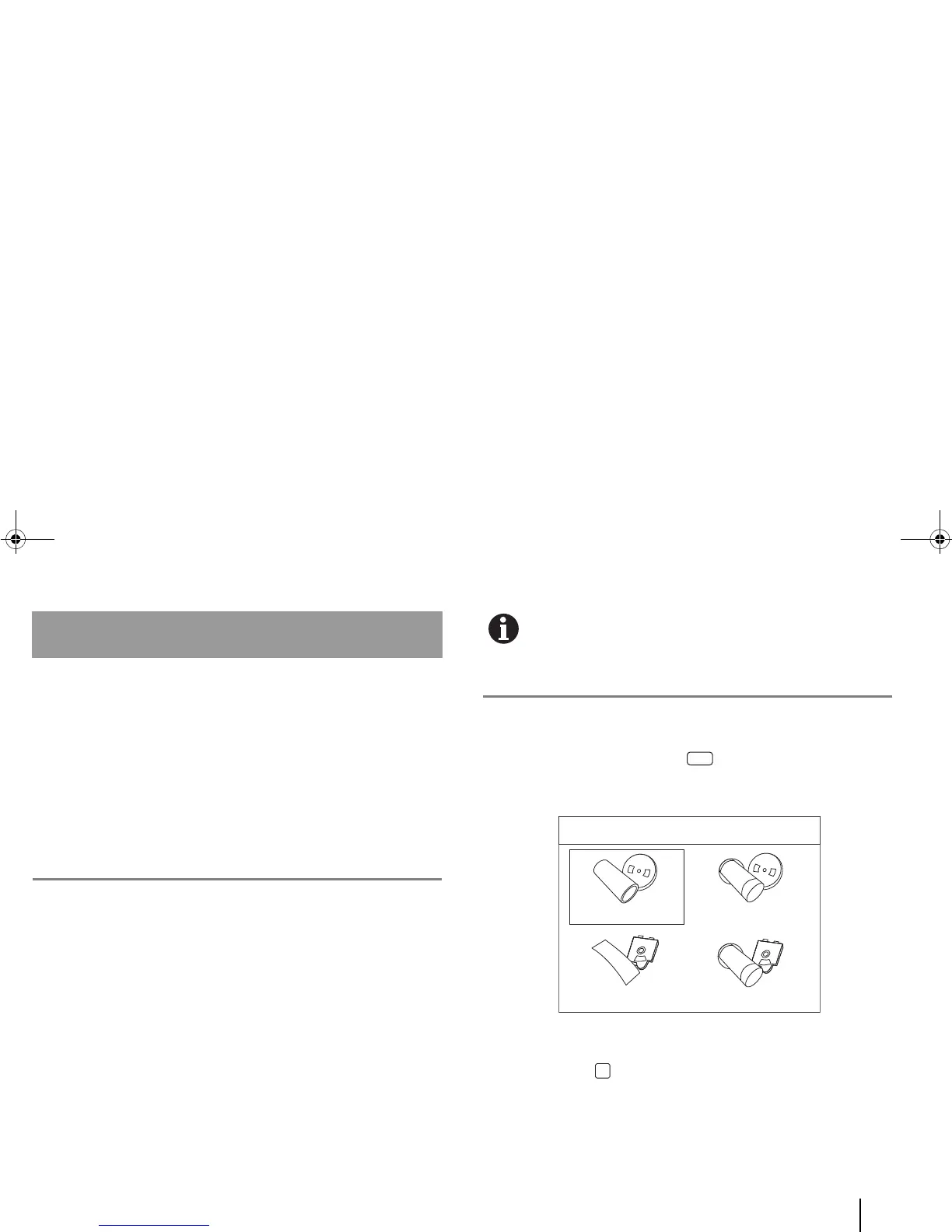
1. Select “Tube” on the printer.
a. On the printer, press the [Media] quick key.
Four media types appear on the LCD screen.
b. Ensure that “Tube” is selected (see previous screenshot)
and press [OK].



 To Next Page