English
24
3. Printing on Selected Media
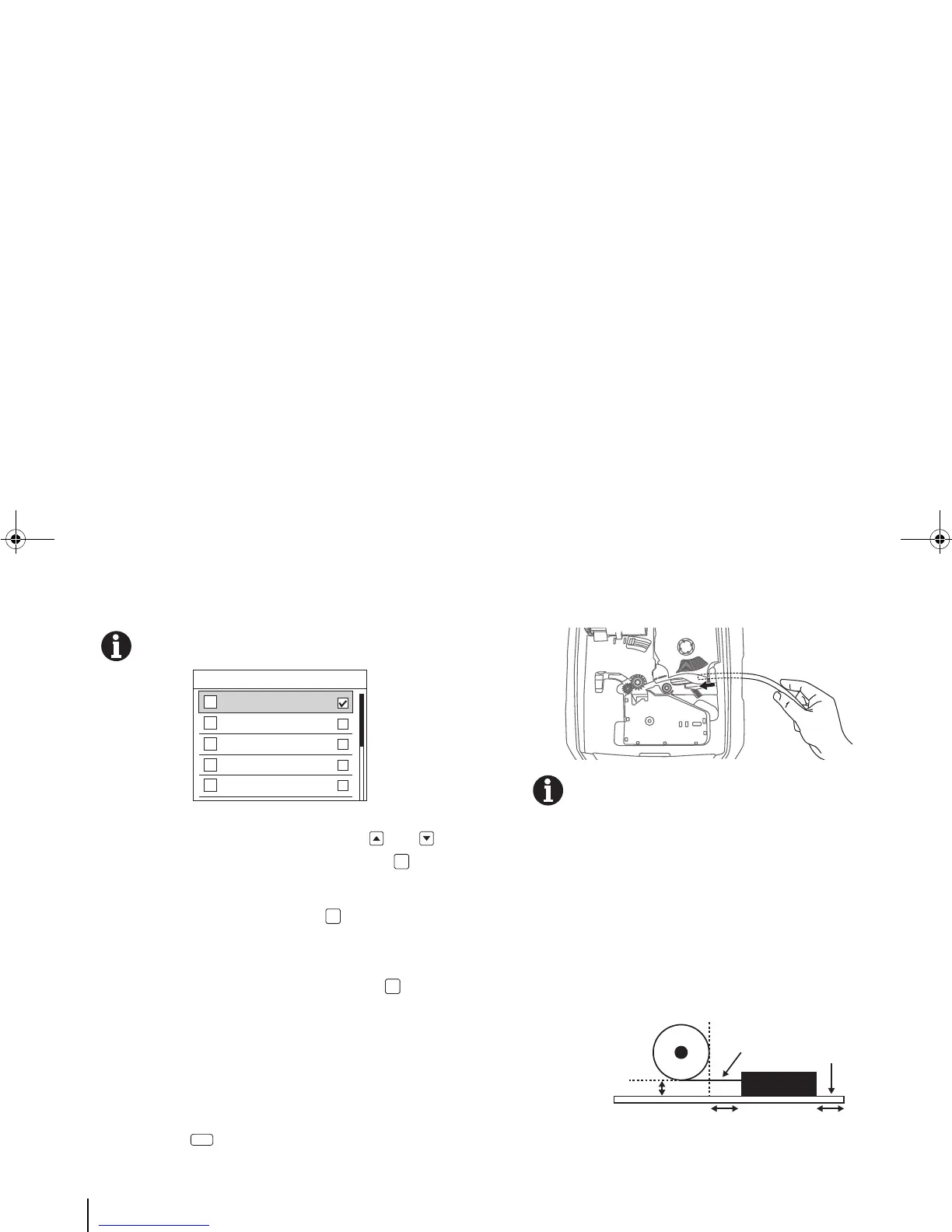
A list of different tube diameters appears on the screen.
Diameter refers to the inner diameter of the tube
c. Using the printer’s vertical navigation keys and ,
select your tube width on the screen and press [OK].
d. In the Application screen, select an application
(“General” or “Vertical”) and press [OK]. For more
options and detailed instructions, see the “F. Changing the
Medium and Its Application” section.
e. Select “Auto-sized” or “Fixed-size”, and press [OK].
The screen returns to the main tag editor.
2. Enter and print the text/symbols.
a. Enter and edit the text/symbols. (For detailed instructions,
refer to “4. Entering & Editing Text/Symbols.”)
b. To see how the entered text/symbols look like when
printed, press [Preview].
3. Insert the tube into the printer.
The printer will not print properly on a tube that is
bumpy, dirty, or of uneven thickness.
When using a tube reel, minimise the tension in the
tube so that printing performance is optimized. High
tension will cause tube stretch and even slippage,
causing poor print quality.
During printing, keep the media outlet area clear of
obstruction and accumulated prints. A blocked media
outlet will cause improper cutting.
An example of how tension can be minimised:



 To Next Page