www.bresser.de
4-11
(4-11) Press [Tools] > [Upload]. The heating process of the extruder is then
started.
12
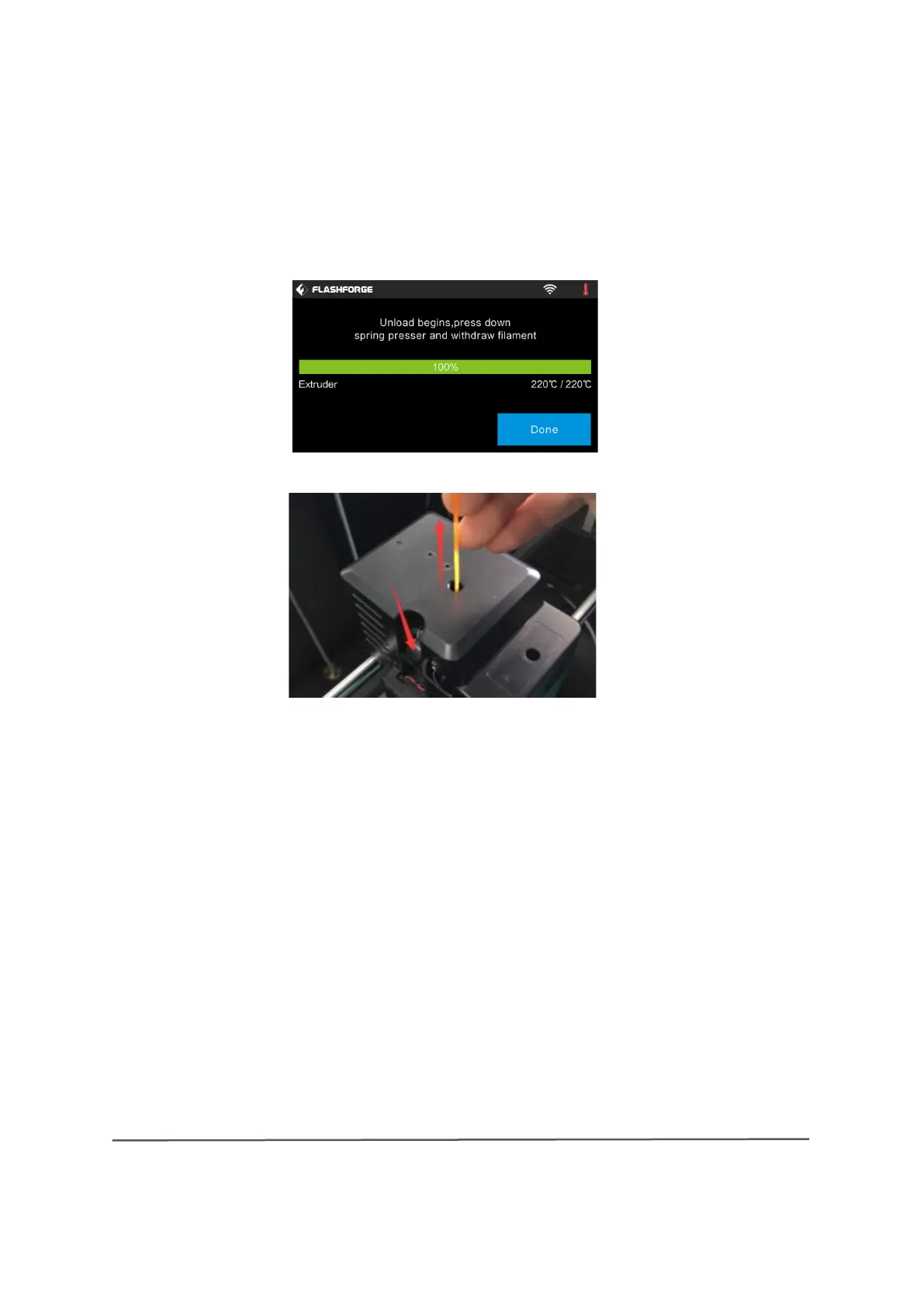
(4-12) After the extruder reaches a temperature of 220 ℃, a printer beep sounds
as a request to remove the filament from the extruder. Press the spring tensioner,
push the filament down for about three seconds and then carefully pull the
filament out.
Note: Do not pull out the filament by force, as this may damage the gear
wheels. When the molten filament has cooled down in the extruder, repeat
the above steps if necessary.


 To Next Page