www.bresser.de
Designing reliefs
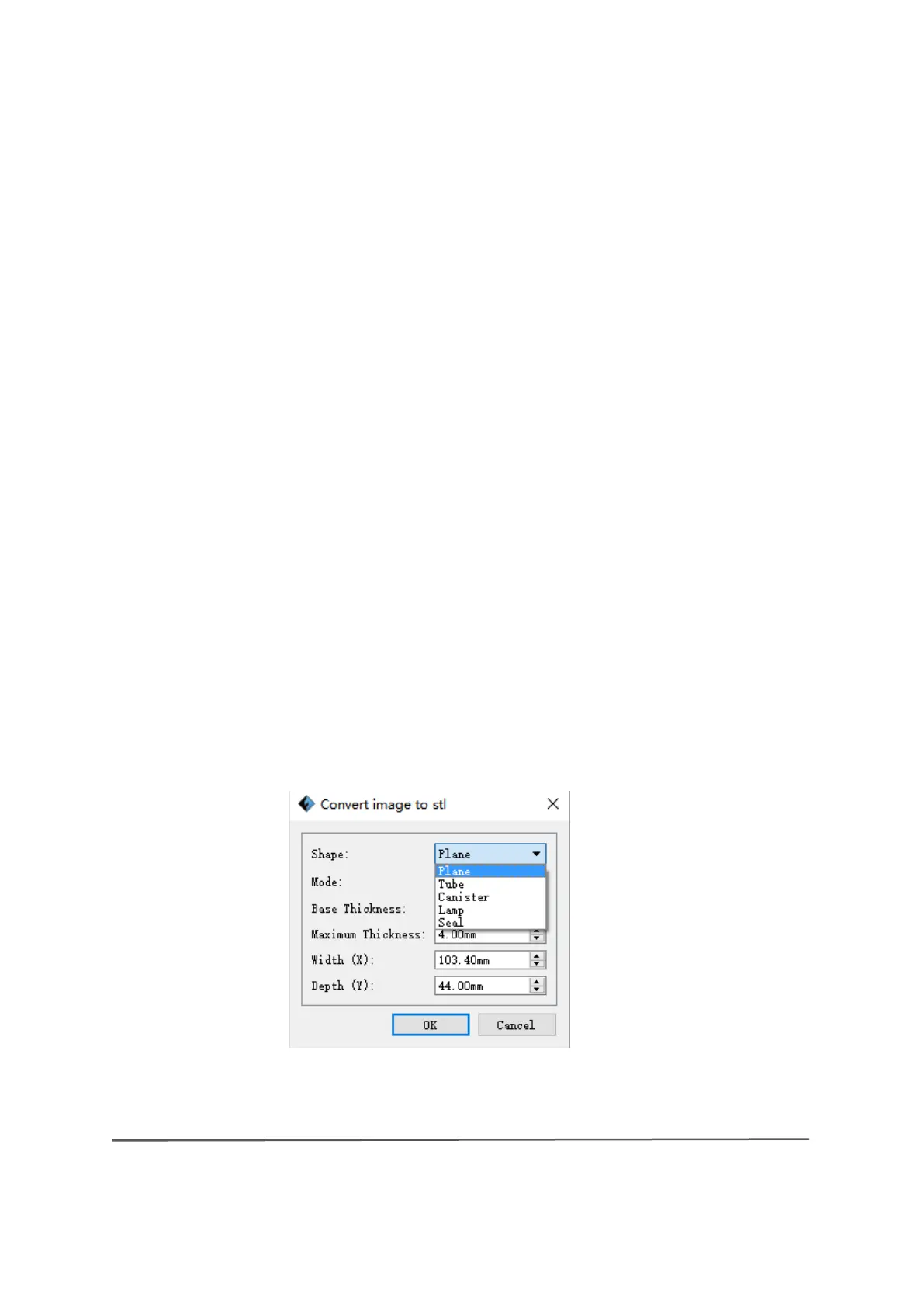
Load an image file in PNG, JPG, JPEG or BMP format into REXprint. This opens
the following dialogue box (6-3). In this dialog box, you can specify settings for
the shape, mode, maximum thickness, base thickness, bottom thickness, width
and height, top diametre and bottom diametre.
"Shape": includes the shapes "Plane", "Tube", "Canister" and "Lamp".
"Fashion": includes "darker is higher" and "lighter is brighter".
"Maximum Thickness": Z-value of the model
"Base Thickness: The minimum thickness of the base plate, the default value is
0.5 mm.
"Width: X-value of the model
"Depth." Y-value of the model
"Bottom Thickness." To set the lower thickness for the "Tube", "Canister" and
"Lamp" shapes
"Top Diametre." To set the upper diametre for the "Tube", "Canister", "Lamp"
and "Seal" shapes
"Bottom Diametre." To define the lower diametre for the "Tube", "Canister",
"Lamp" and "Seal" shapes
6-4



 To Next Page